






PacketReporter Pro is a compiled C/C++ Wireshark plugin using libcairo for high-quality vector PDF rendering and Qt6 for an integrated settings window. It replaces the original Lua-based PacketReporter with dramatically better performance, richer reports, and zero runtime dependencies beyond Wireshark itself.
Why native?
PacketReporter Pro is derived from the Lua-based PacketReporter plugin. The Lua version’s reliance on external tools for PDF generation (rsvg-convert, pdfunite) became a real pain point — particularly on Windows, where Lua opened a terminal window for every single page of a report. Lua remains a great fit for lightweight decode modules, as demonstrated by PacketSanitizer; it just wasn’t the right approach for a report generator.
- Performance — native compiled C code instead of interpreted Lua
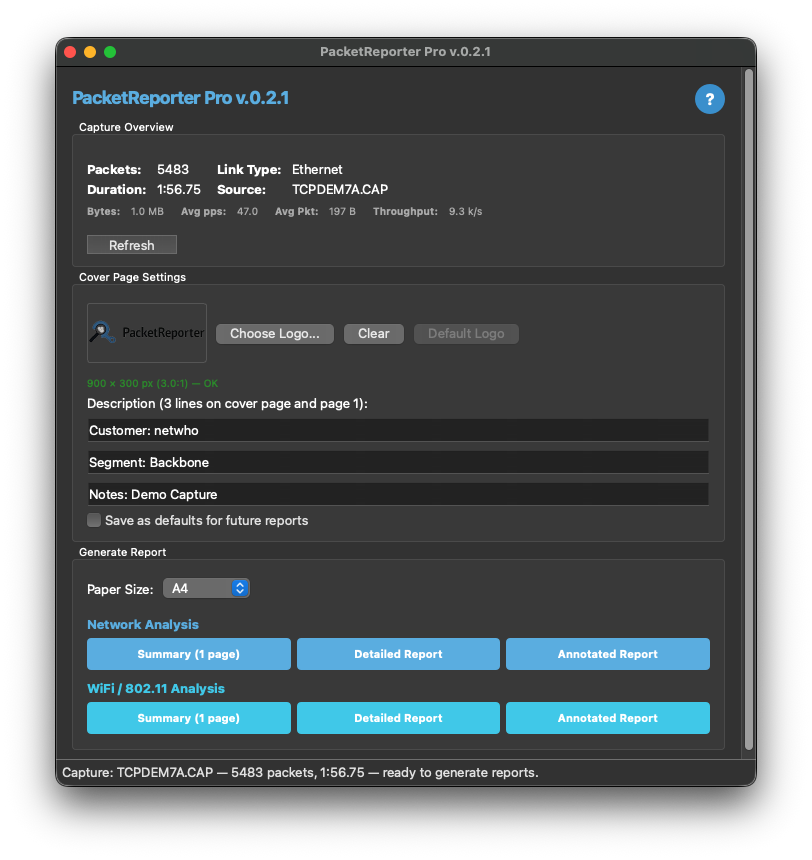
- Integrated UI — a Qt6 settings window to select paper size (A4/Legal), configure a custom logo and cover page text, and choose report type
- Network Analysis — Summary, Detailed, and Annotated reports
- WiFi / 802.11 Analysis — Summary, Detailed, and Annotated reports
Screenshots
Main window
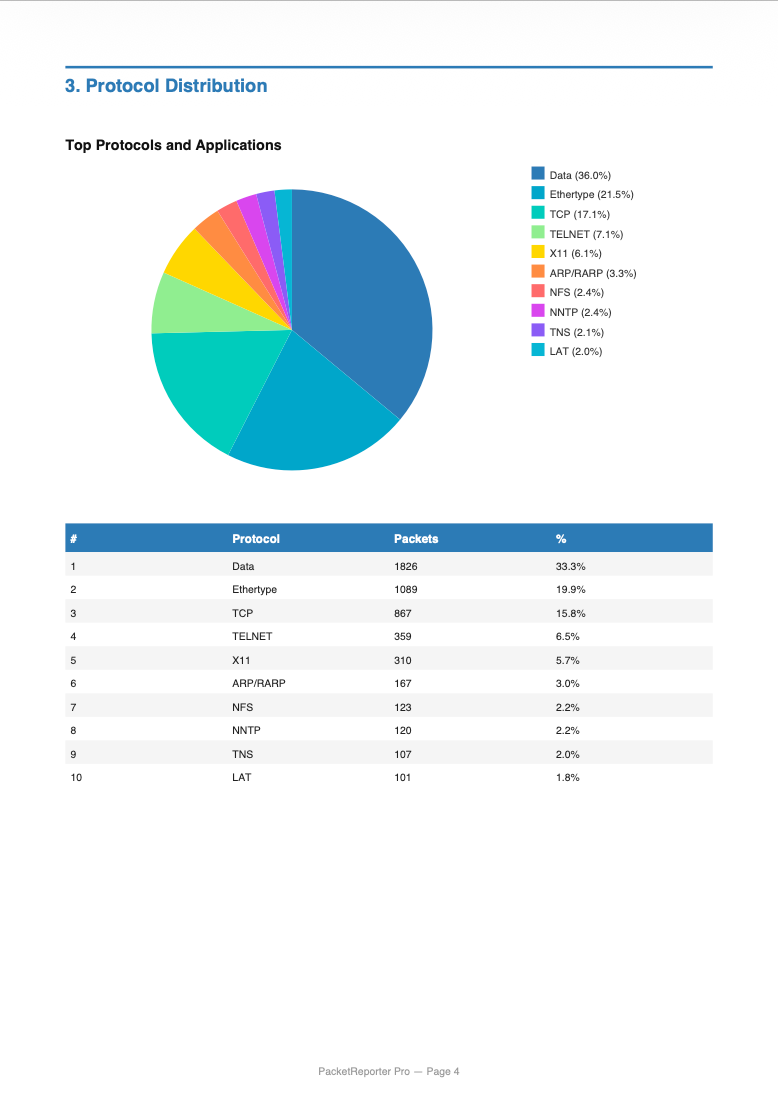
Detailed report
Annotated report
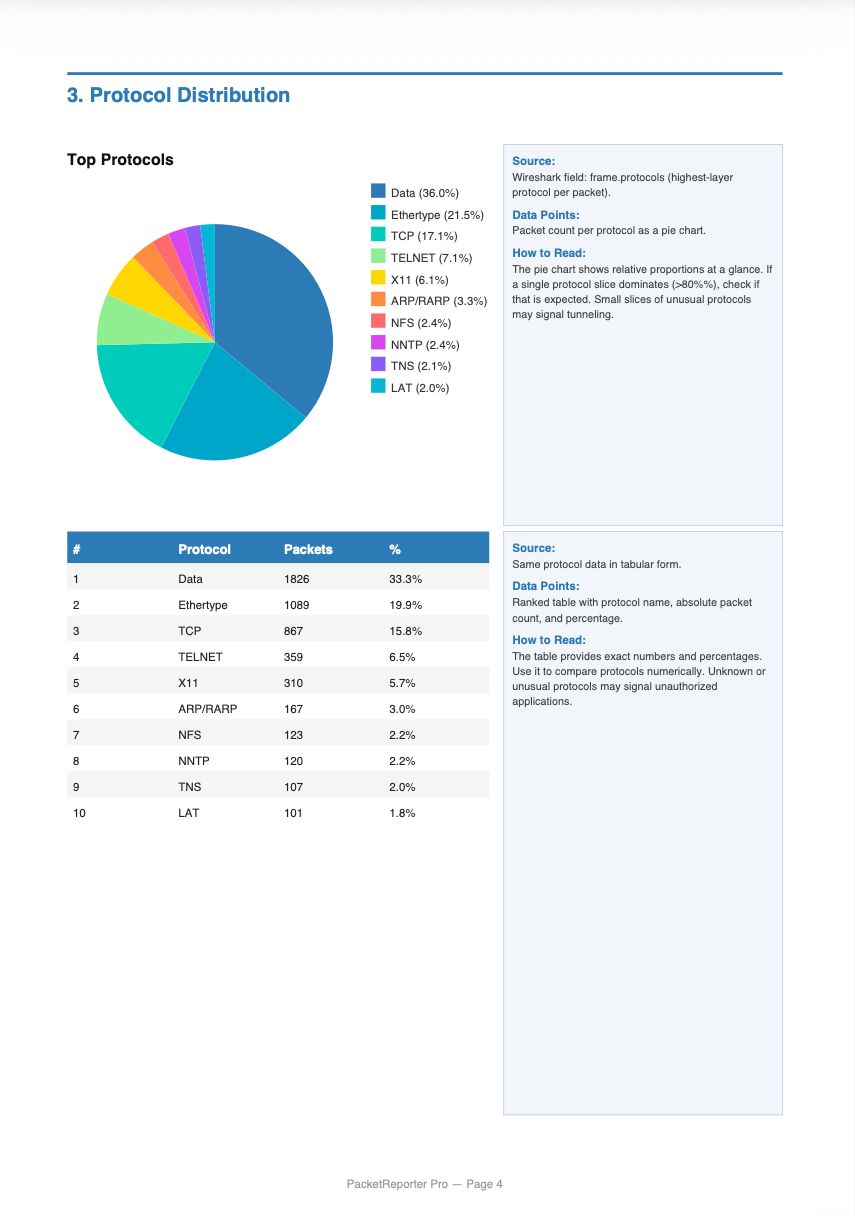
60/40 layout with expert annotation sidebars explaining each section for non-experts
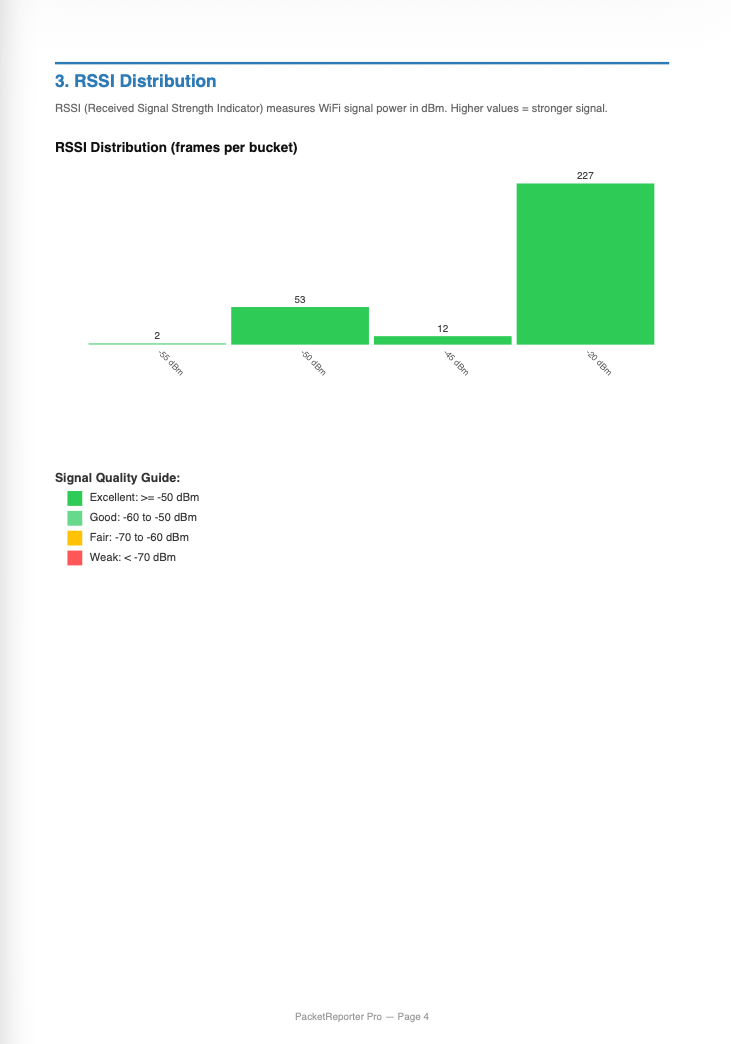
WiFi report
Report types
| Report | Capture type | Pages | Content |
|---|---|---|---|
| Network Summary | Network | 1 | Packet/byte counts, protocol distribution, top IP addresses |
| Network Detailed | Network | 14+ | Cover page, ToC, 12 analysis sections, summary page |
| Network Annotated | Network | 14+ | Detailed report with expert annotation sidebars (60/40 layout) |
| WiFi Summary | 802.11 (monitor) | 1 | BSSIDs, clients, channels, RSSI, retry rate, channel pie chart |
| WiFi Detailed | 802.11 (monitor) | 10+ | RSSI, SNR, channels, MCS, frames, deauth, retry, airtime |
| WiFi Annotated | 802.11 (monitor) | 12+ | WiFi Detailed with annotation sidebars for each metric |
WiFi reports require a capture in monitor mode (rfmon) — a regular managed-mode capture has no radiotap headers or 802.11 management frames.
Detailed report sections
The Network Detailed / Annotated report covers 12 sections: PCAP summary, IP stats, protocol hierarchy, IP communication matrix, port analysis, DNS analysis, TLS/SSL analysis, HTTP analysis, MAC layer analysis, IP layer analysis (TTL, fragmentation, DSCP), and TCP analysis (window size, segment length, options negotiated, top connections by throughput and by flag usage).
Quick start
macOS (universal binary, Cairo statically linked): cd installers/macos && ./install.sh
Linux (auto-detects Wireshark 4.2/4.4/4.6): cd installers/linux && ./install.sh
Windows: cd installers\windows && .\install.bat
Then: Tools → PacketReporter Pro → Refresh → customize the cover page (logo, description) and paper size → click a report button. The PDF opens automatically.
Requirements
End users need only Wireshark installed — the macOS binary has Cairo statically linked, and the Linux/Windows Wireshark packages include the required shared libraries. Building from source additionally needs CMake, Qt6, Cairo, and GLib 2.x (see the build dependencies table).
Migrating from the Lua plugin
| Feature | Lua plugin | PacketReporter Pro |
|---|---|---|
| PDF generation | Requires rsvg-convert + pdfunite | Built in (Cairo) |
| Report quality | SVG → PNG → PDF pipeline | Direct vector PDF |
| WiFi reports | Basic | Full 10-section analysis + annotated |
| Annotated reports | None | Expert sidebars explaining each section |
| Settings UI | None | Integrated Qt6 window |
| Performance | Interpreted | Compiled C/C++ |
| Theme support | None | Dark / light auto-detect |
Both plugins can coexist — your existing ~/.packet_reporter/ config is preserved.
License
Follows Wireshark’s GPL-2.0 license — see LICENSE.
Acknowledgments
Author & architect: Walter Hofstetter. AI-assisted (Claude by Anthropic) for build system automation, installer scripting, cross-platform compatibility, and documentation.