Two PacketCircles — which one do you need?
| Wireshark plugin | PacketCircle Native | |
|---|---|---|
| Runs | Inside Wireshark | Standalone app — no Wireshark needed |
| Platforms | macOS, Windows, Linux (Wireshark 4.0–4.6) | iPhone / iPad, macOS (Apple silicon), Linux (x86_64), Windows (x64) |
| Decoding | Wireshark’s own dissectors | PacketCircle’s own native decoder — not Wireshark |
| Live capture | Through Wireshark | Mac and Linux; iPhone via PCAP over IP |
| License | Open source, GPL-2.0 | Not open source yet — source on request |
| Price | Free | Free: no ads, no in-app purchases, no telemetry |
PacketCircle — Wireshark plugin C++ · Qt6 · GPL-2.0
The original PacketCircle: see who is talking to whom, using which protocol, and how much — inside Wireshark.
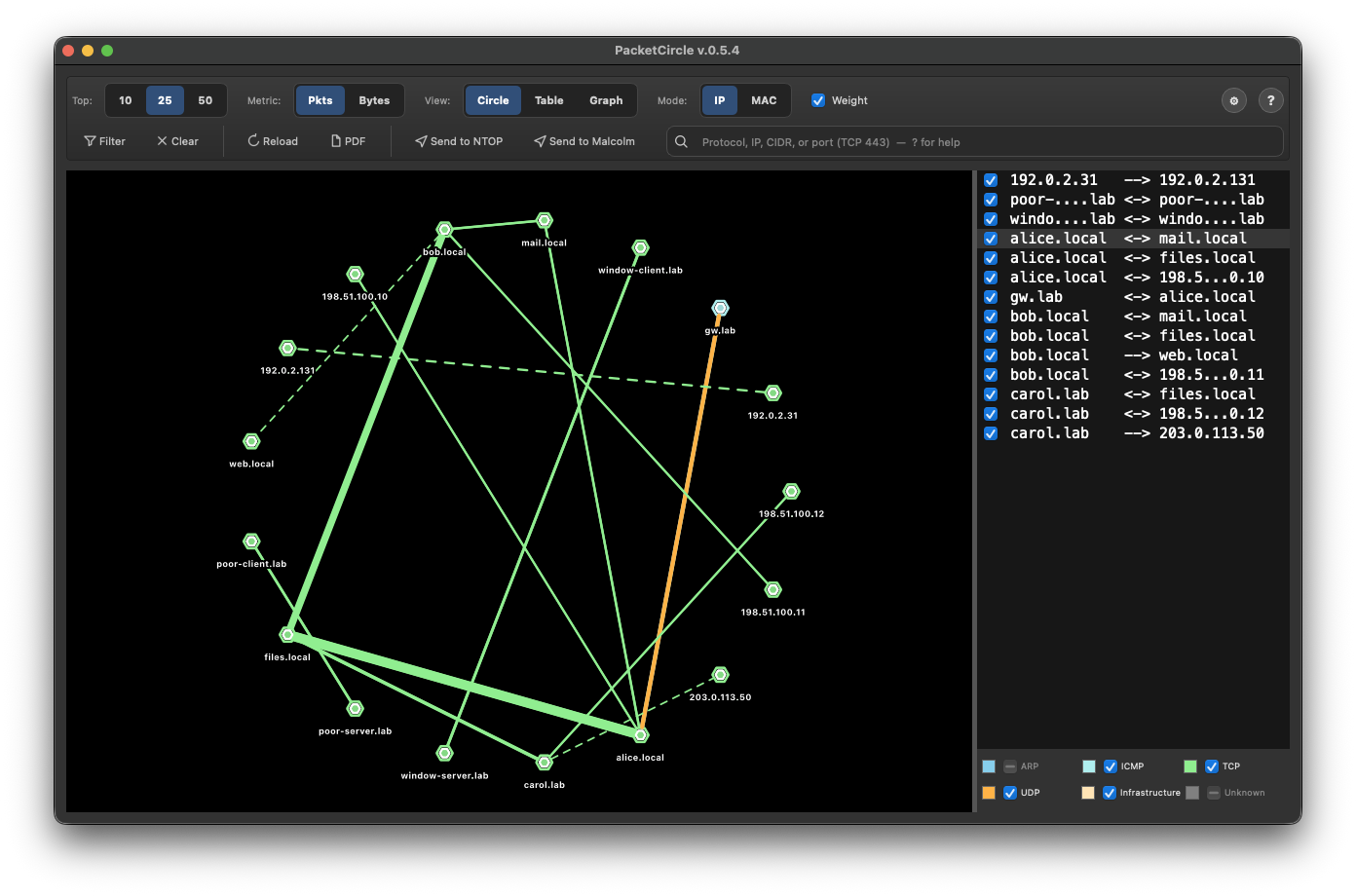
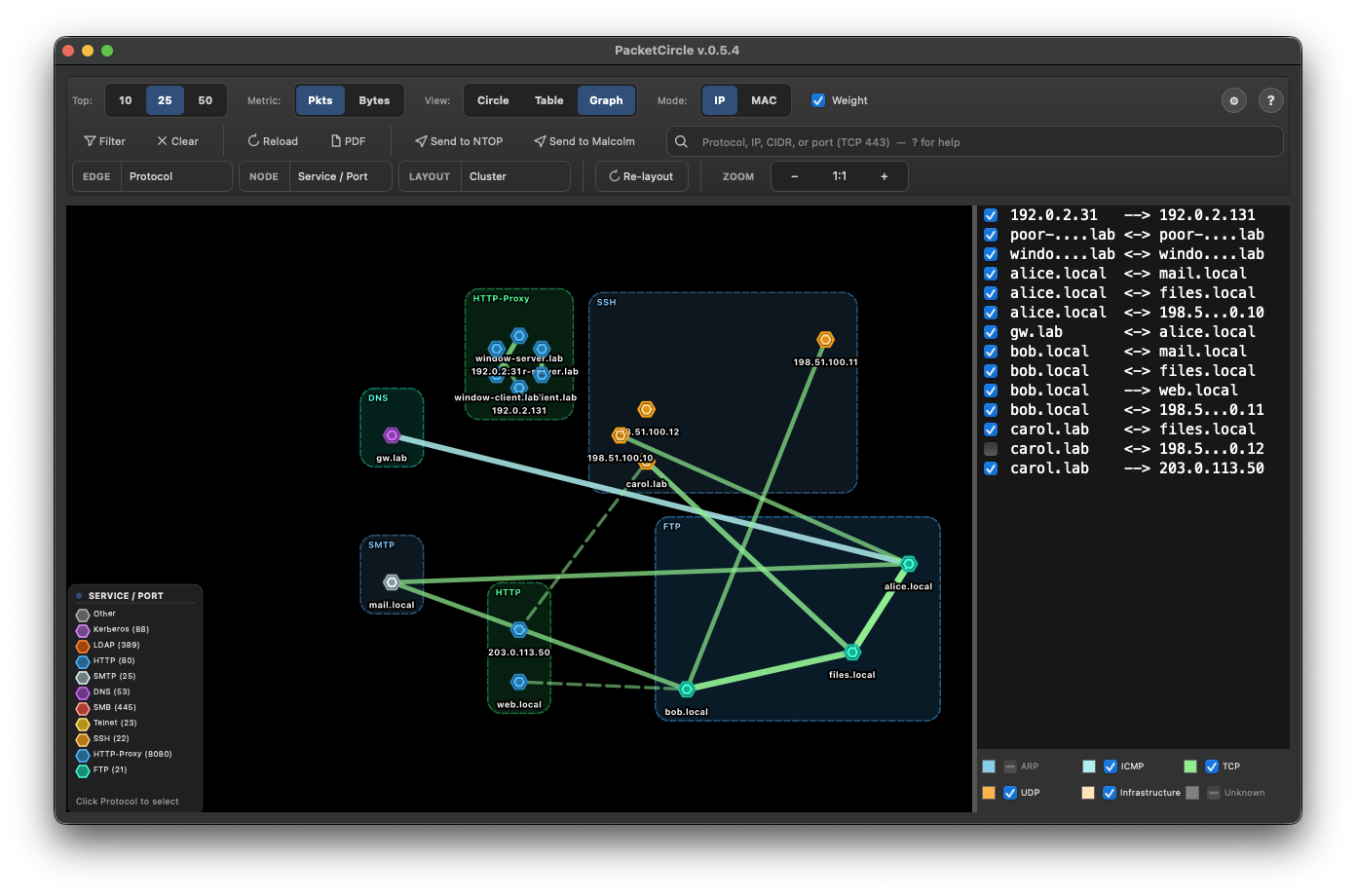
PacketCircle turns packet captures into interactive circle and graph diagrams: hosts as nodes, connections as arcs, colored by protocol and weighted by traffic volume. It runs as a plugin inside Wireshark, so every circle, arc and graph stays one click from Wireshark’s display filters and stream tools. Open source (GPL-2.0) on GitHub; currently v0.5.4 (beta, actively developed).
- Circle and Graph view — 8 layouts and TCP Health, Anomaly Score, Response Time, Throughput, TCP Window and High Risk edge coloring, with score breakdowns (Graph view is experimental).
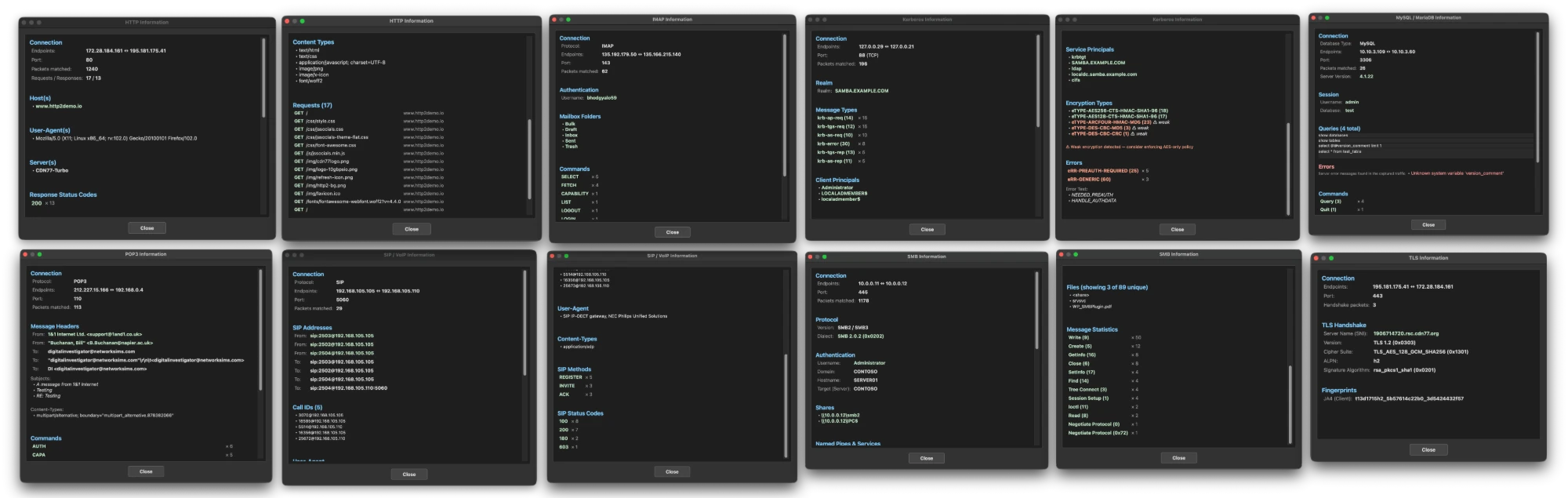
- 20+ protocol info dialogs — right-click a connection for TLS certificates, HTTP headers, FTP credentials, DNS answers, SSH key exchange, Kerberos tickets and more.
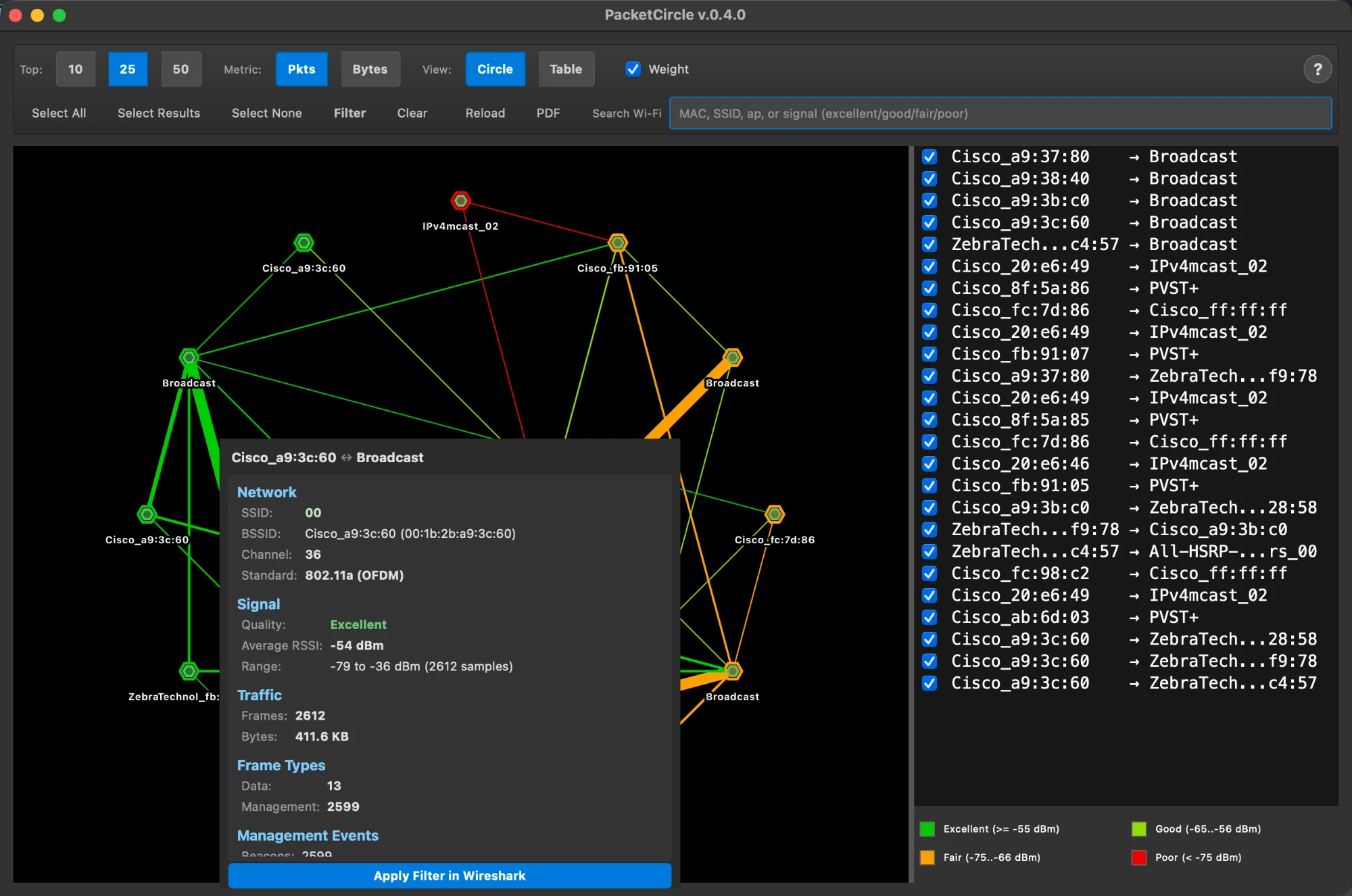
- Wi-Fi monitoring mode — 802.11 captures with RSSI signal-quality colors.
- Smart search — by IP, CIDR, port, protocol keyword or any Wireshark display filter.
- Wireshark integration — apply display filters, follow TCP streams, open throughput / RTT graphs; one-click send to ntopng or Malcolm / Arkime.
- 3-page PDF reports — cover page, visualization with pair list, and a plain-language explanation page.
PacketCircle Native iOS · macOS · Linux · Windows
The standalone app — no Wireshark needed.
A native rewrite of the PacketCircle idea for iPhone, iPad, Mac, Linux and Windows: open a PCAP/PCAPNG (or capture live on Mac and Linux), see who is talking to whom, spot rough TCP health, and drill into a conversation — with PacketCircle’s own native decoder and Expert findings. One analysis engine written in Rust sits under a SwiftUI app (iOS, macOS) and a native Linux app, so every platform gives the same result. It is not the Wireshark plugin and contains no Wireshark code.
PacketCircle for iOS 1.3.8 is live on the App Store — free, no ads, no telemetry, fully offline. Download on the App Store → PacketCircle 1.3.9 (build 189) is in Tech Preview — Compare Conversations now leads with the application differences, packets travel along the Circle’s lines (Animate Circle), you can search the Circle by port, and the Linux and Windows app follows the website’s dark theme and has a Check for updates button. See what’s new → Download PacketCircle-1.3.9-b189.dmg (.zip) Download for Linux (.zip) Download for Windows (1.3.9)
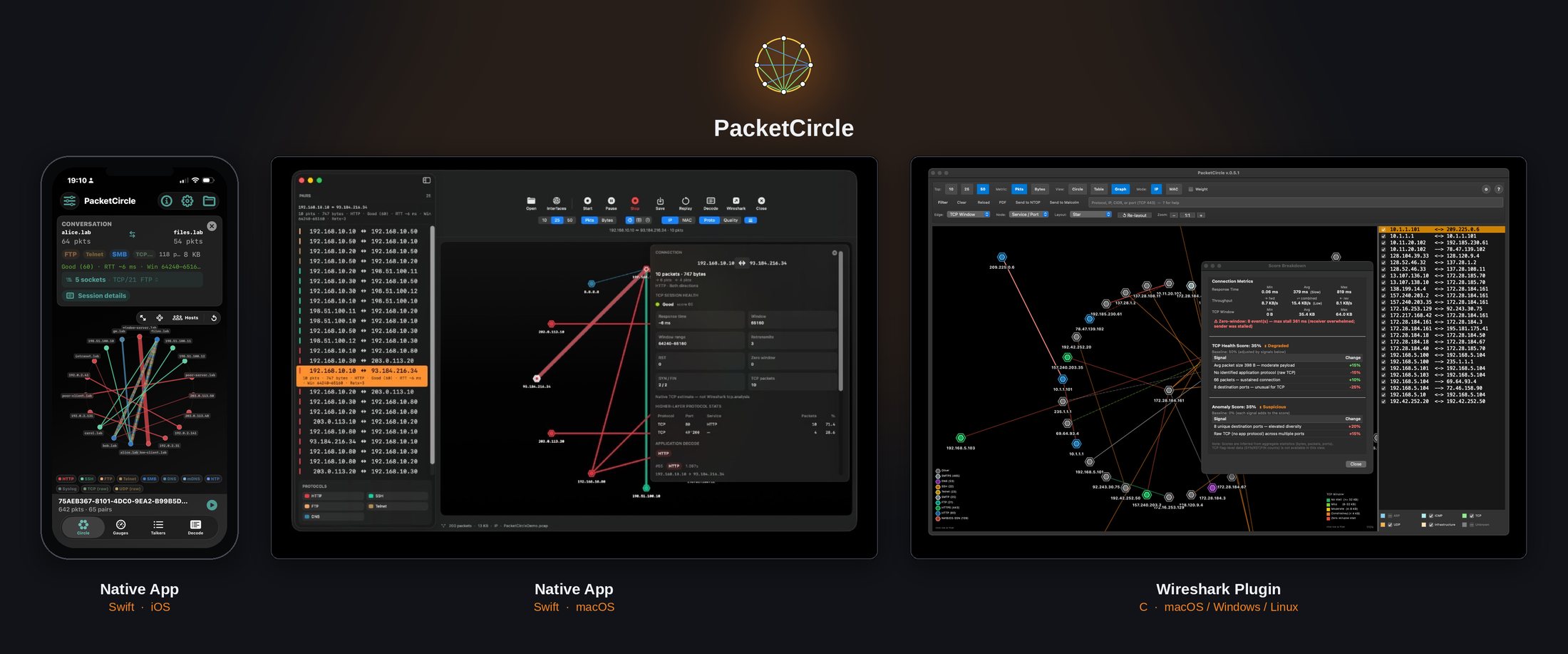
PCAP over IP — PacketCircle connects out to a remote pcap stream, the same convention Wireshark uses with -k -i TCP@host:port. Point it at a broker on the sensor side: github.com/netwho/pcapoverip (single-file, free, GPL-2.0), or any tool that already speaks the protocol, such as PolarProxy. Nothing is captured until PacketCircle connects; the sensor streams only what crosses the interface you point it at.
| Build | Date | Main focus |
|---|---|---|
| 189 | 2026-11-16 | Current download for macOS, Linux and Windows: 1.3.9 (build 189). Drop several captures to merge them (keep the timestamps or sync on the first packet of one trace), a start-screen drop area, Check for updates also notices a newer build of the same version, Generate Report sections, and a Mac fix for dropped files without a capture extension. Details in the release note and the changelog. |
| 183 | 2026-11-13 | 1.3.9 (macOS build 183). The Mac app now has the Check for updates button too, like Linux and Windows; everything else is as in build 182. Details in the release note. |
| 182 | 2026-11-13 | 1.3.9 (Linux and Windows build 182; Mac build 183). Compare Conversations leads with application differences (requests, Host, response codes, errors; passwords and cookies masked), Animate Circle, search by port and port-to-service names, the website’s dark theme and a Check for updates button on Linux and Windows, Windows live-capture fixes. Details in the release note. |
| 154 / 152 | 2026-11-03 | 1.3.8 (macOS build 154, Linux build 152). Networks layout (hosts grouped by network, Known networks), Expert findings you can follow (expert search, Slow server / Slow network, the connection pane and Decode show only what a finding is about), Select All Shown / Filter and Reload Selected, and one Rust engine on the Mac (live capture, Decode, report, Compare, Infrastructure Map). Details in the release note. |
| 128 | 2026-10-19 | 1.3.2, build 128 (the signed Windows 1.3.2 installer is built from it). Fixes searching for Expert messages in the search bar. The Windows installer is now signed (by WLAN GEEKS LLC), so the Windows download is public. |
| 126 | 2026-10-17 | 1.3.2, first release: light / dark / system theme (the Circle and Map stay black), search for Expert messages from the search bar, connection card that follows the window height (Mac), Linux / Windows footer with frame counter and Stop, neutral About / Help text on Linux and Windows. |
| 121 | 2026-10-15 | New Expert detectors: unanswered SYN, DNS without answer, DHCP NAK / no offer, MAC move and duplicate MAC, incomplete TLS handshake, RTP jitter and loss. Database errors (MySQL / MariaDB, Oracle TNS, MSSQL). Giant-frame check now uses the length declared in the Ethernet frame, not the PCAP record — no more false jumbo-frame floods on offload captures. |
| 114 | 2026-10-13 | TCP-reset scoring repaired so web resets are scored the same way everywhere; Mac map no longer flashes gray on the first Services → Map switch. |
| 113 | 2026-10-13 | 1.3.1: Expert Alerts page, scan detector, quieter web resets, updated demo capture, Mac / iOS / Linux UI to match. |
| 106 | 2026-10-08 | Hint bar only for scans and large results; Linux live capture writes classic PCAP. |
| 84 | 2026-10-06 | 1.3.0: first build on the Rust analysis core (the performance release). |
| 80 | 2026-09-30 | 1.2.6: Session Expert follows the socket; DMG signing fix. |
Build numbers are the macOS build (visible in About). The Linux and Windows apps ship from the same code under the same version. iOS 1.3.8 (build 23) is available on the App Store since 5 November.
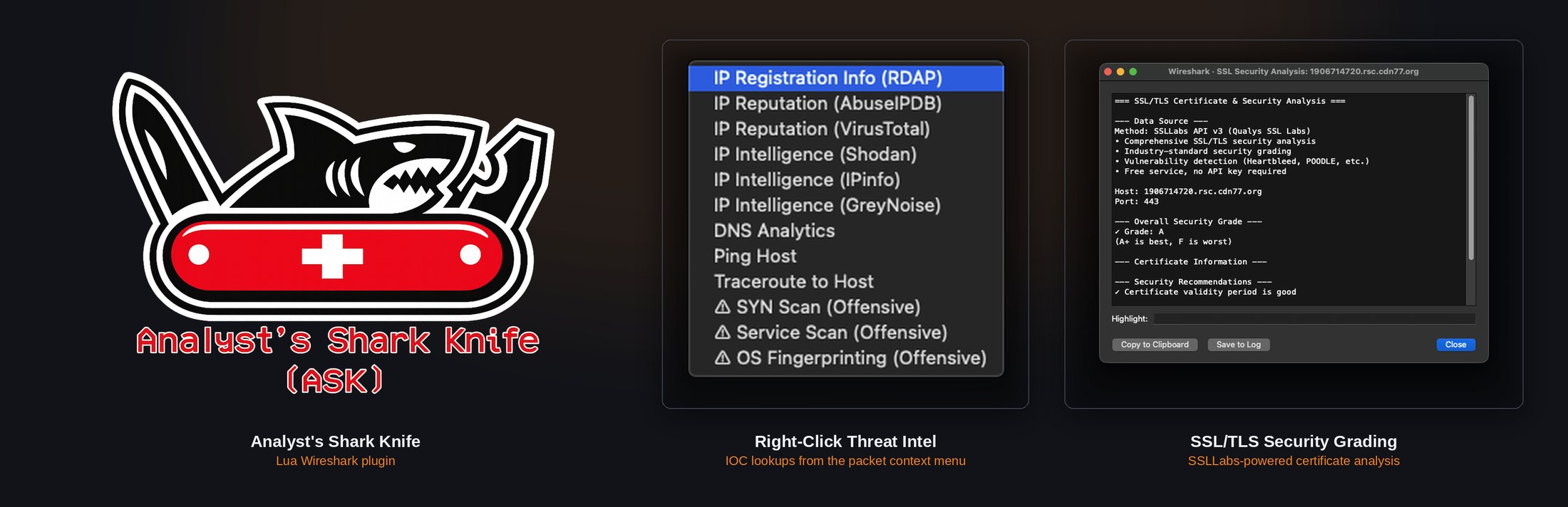
ASK — Analyst’s Shark Knife Lua
A Swiss Army knife for the packet list, right-click included.
ASK adds a right-click menu straight in Wireshark’s packet list for the lookups you’d otherwise do in five different browser tabs: IP registration (RDAP), IP reputation (AbuseIPDB, VirusTotal), IP intelligence (Shodan, IPinfo, GreyNoise), DNS analytics, ping, traceroute, and offensive checks (SYN scan, service scan, OS fingerprinting) for when you’re testing your own lab. It also runs full SSL/TLS certificate and security grading via the SSLLabs API — vulnerability checks (Heartbleed, POODLE, etc.) and an industry-standard A–F grade, no API key required.
PacketSanitizerPro C
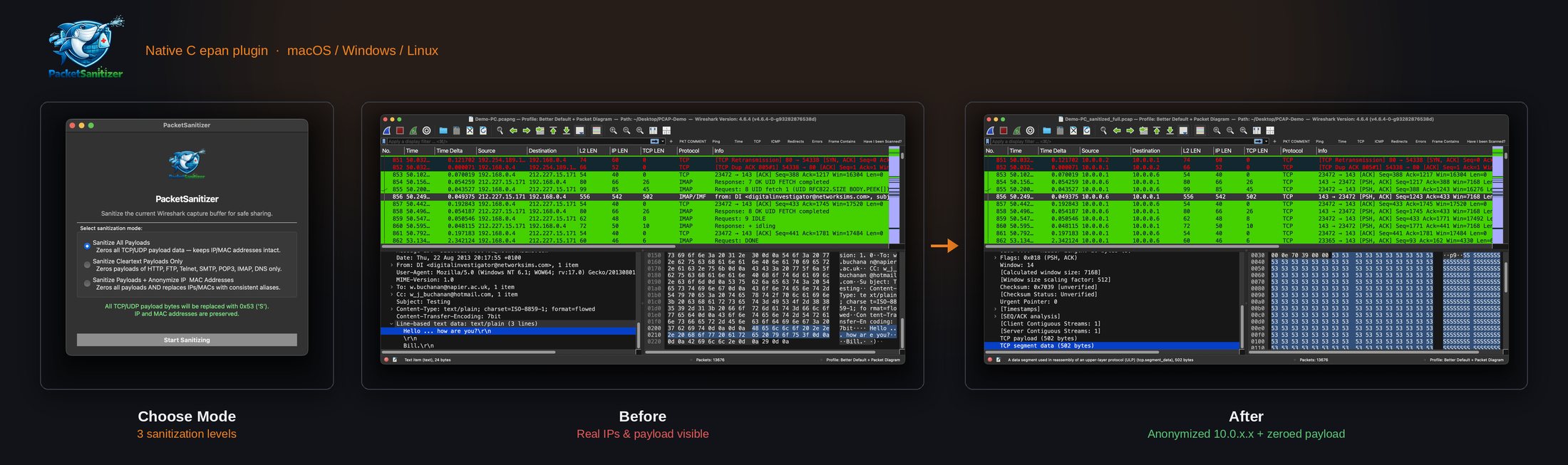
Share a trace file without sharing your network.
A native Wireshark epan plugin — no Python, no Lua, no external dependencies — that sanitizes PCAP/PCAPNG files at wire speed before they leave your organization. Checksums are recomputed automatically, and the original file is always preserved.
- Sanitize All Payload — zeros every TCP/UDP/ICMP payload, keeps IP/MAC addresses and structure intact
- Sanitize Clear-Text Payload — only touches unencrypted protocols (HTTP, FTP, Telnet, SMTP, POP3, IMAP, DNS)
- Sanitize Payload + Anonymize IP & MAC — full sanitization with deterministic address anonymization, for sharing outside your organization
Vulnerability Correlator Lua
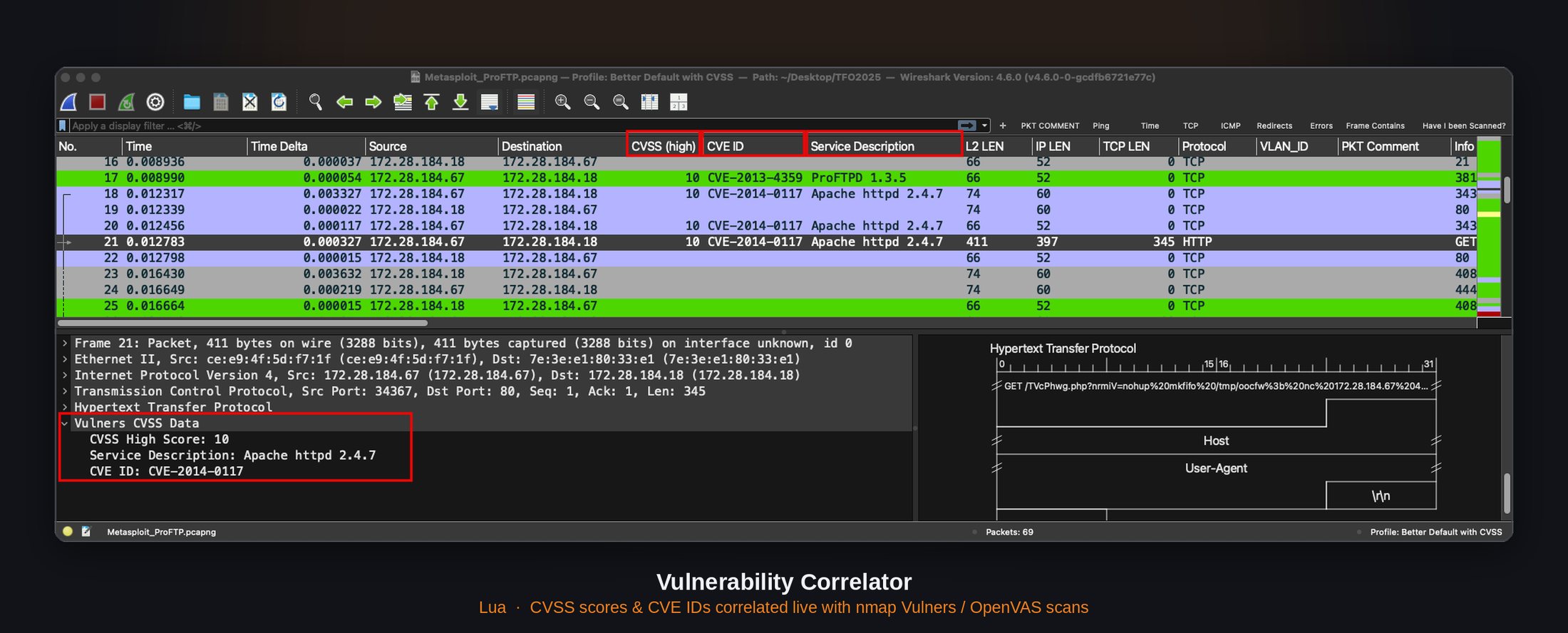
See which packets belong to a known CVE, without leaving Wireshark.
This plugin bridges vulnerability scanning and packet analysis: feed it an nmap Vulners scan or an OpenVAS export, and it correlates the findings directly against your capture. CVSS scores and CVE IDs show up as columns in the packet list, high-severity traffic gets color-coded automatically, and a dedicated menu generates a full correlation report — scan summary, matched hosts, and detailed findings with packet references.
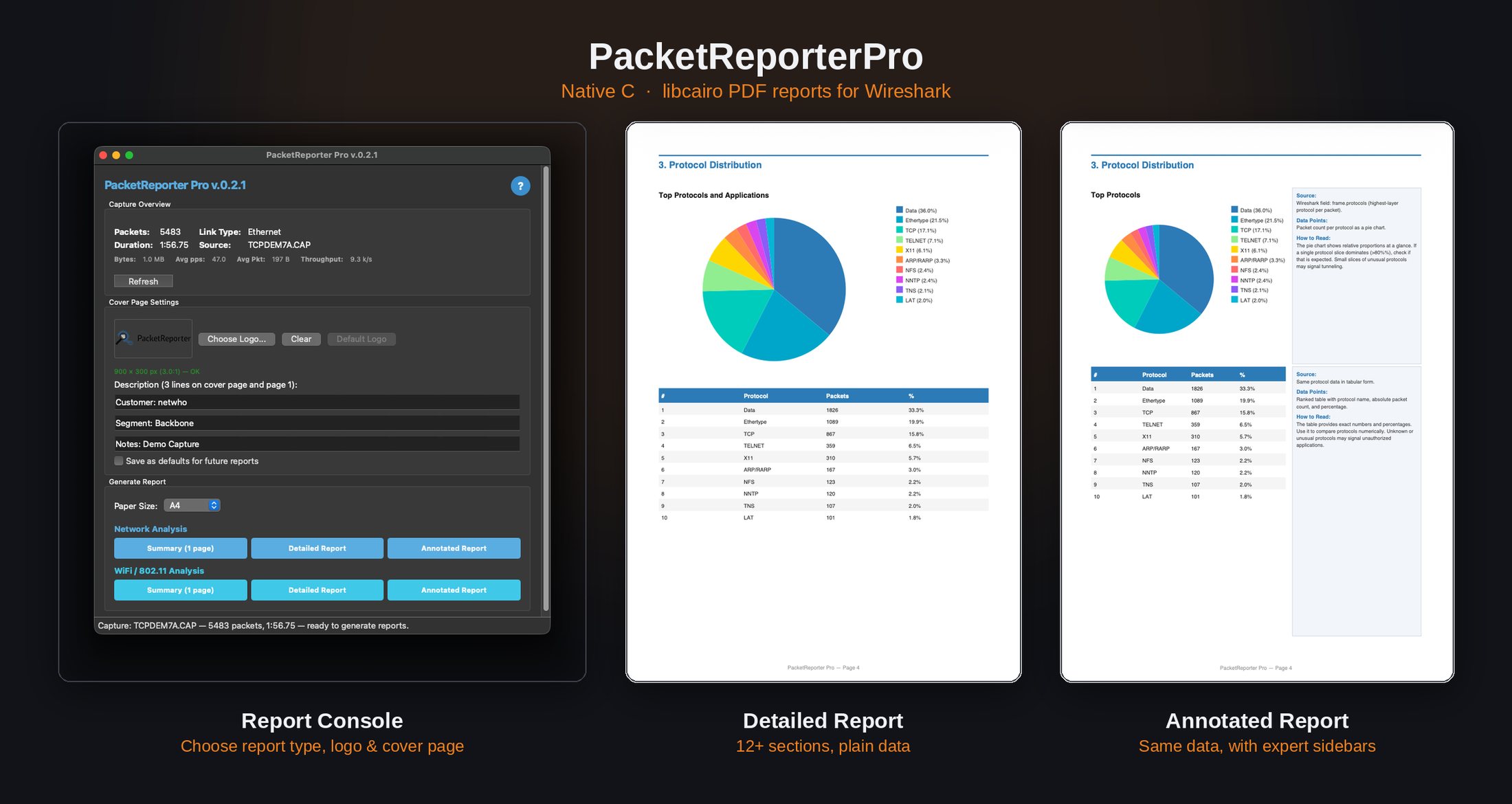
PacketReporterPro C
Turn a packet capture into a professional PDF report — no external tools required.
A native Wireshark plugin using libcairo for vector PDF rendering and Qt6 for an integrated settings window. It replaces my earlier Lua-based PacketReporter, which leaned on external tools for PDF generation. PacketReporterPro compiles the whole pipeline natively instead: zero runtime dependencies beyond Wireshark itself.
- Network Summary — one-page stats, protocol pie chart, top talkers
- Network Detailed — 14+ pages covering PCAP summary, IP stats, protocol hierarchy, DNS, TLS/SSL, HTTP, MAC/IP layers, TCP analysis
- Network Annotated — the Detailed report with expert sidebars, for sharing with non-experts
- WiFi Summary / Detailed / Annotated — the same depth for 802.11 monitor-mode captures
Supports Wireshark 4.2 through 4.6, with prebuilt binaries for macOS (universal), Linux, and Windows.
Want to see these tools in action?
The Packet Factor training walks through several of these tools hands-on, using real attack traffic.
Learn about the training