- About
- Get the game
- Quick start
- Controls
- Modes & skill
- Your tools
- Strategy
- The 16 tickets
- Pet networks
- What is simulated
- FAQ
About
Ping the Networker is a data-center jump-and-run for people who know what STP stands for, and for people who want to find out. You play Ping, the hall’s network engineer. Each level is a trouble ticket: some client cannot reach some server. You find out why, fix the configuration and press Send. The packets travel through the simulated network hop by hop and the game tells you where and why they drop.
It is free, runs in the browser and needs no account. On iPhone and iPad there is a native app that works offline. Scores and optional 3-letter initials go to a shared high-score table on netwho.ch.
Get the game
- Browser: any current desktop browser; keyboard recommended. On touch devices the game shows on-screen buttons; use landscape.
- iPhone and iPad: landscape app, free, works offline, no account.
- Pet networks are part of the browser version only.
Quick start
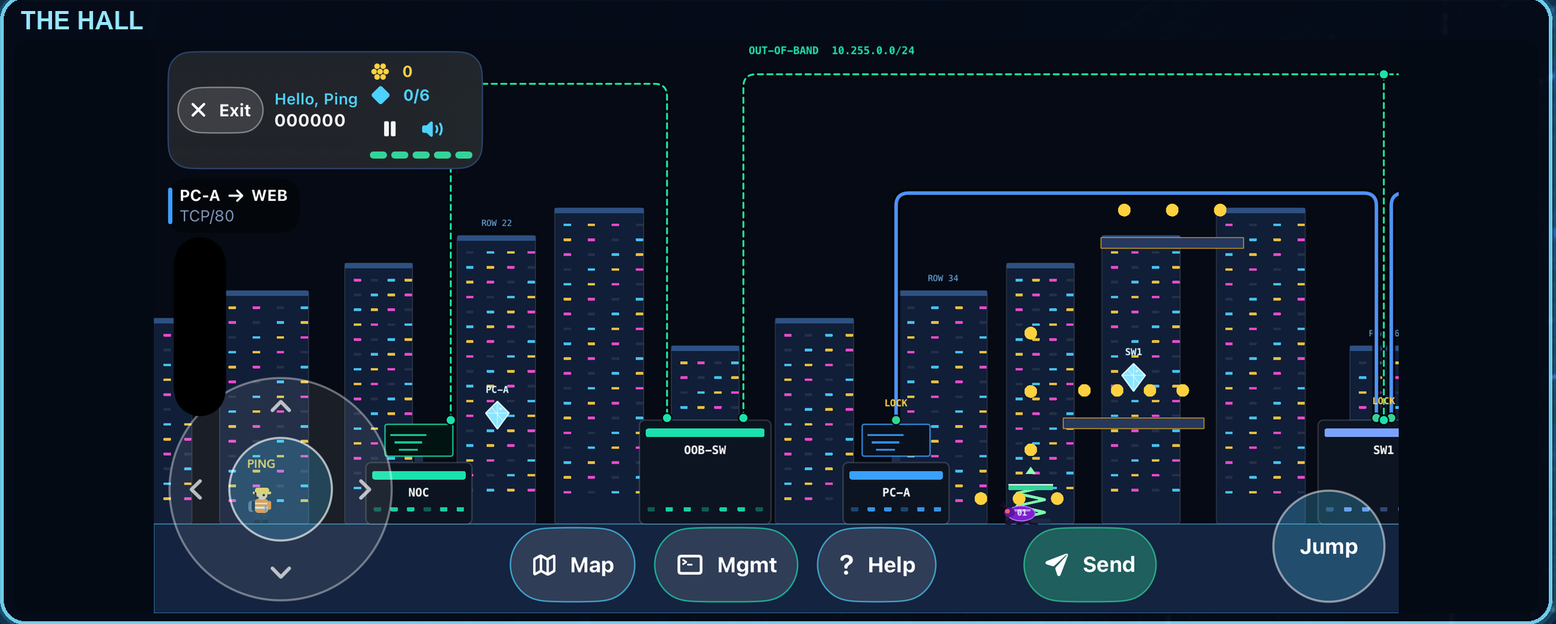
- Read the ticket in the bottom bar. The packet colour is the source client, the server colour the destination, and the label says the protocol and port, for example
PC-A → WEB TCP/80. - Run the hall and collect the diamond of every device you want to configure. Until you do, the device is locked, including over SSH.
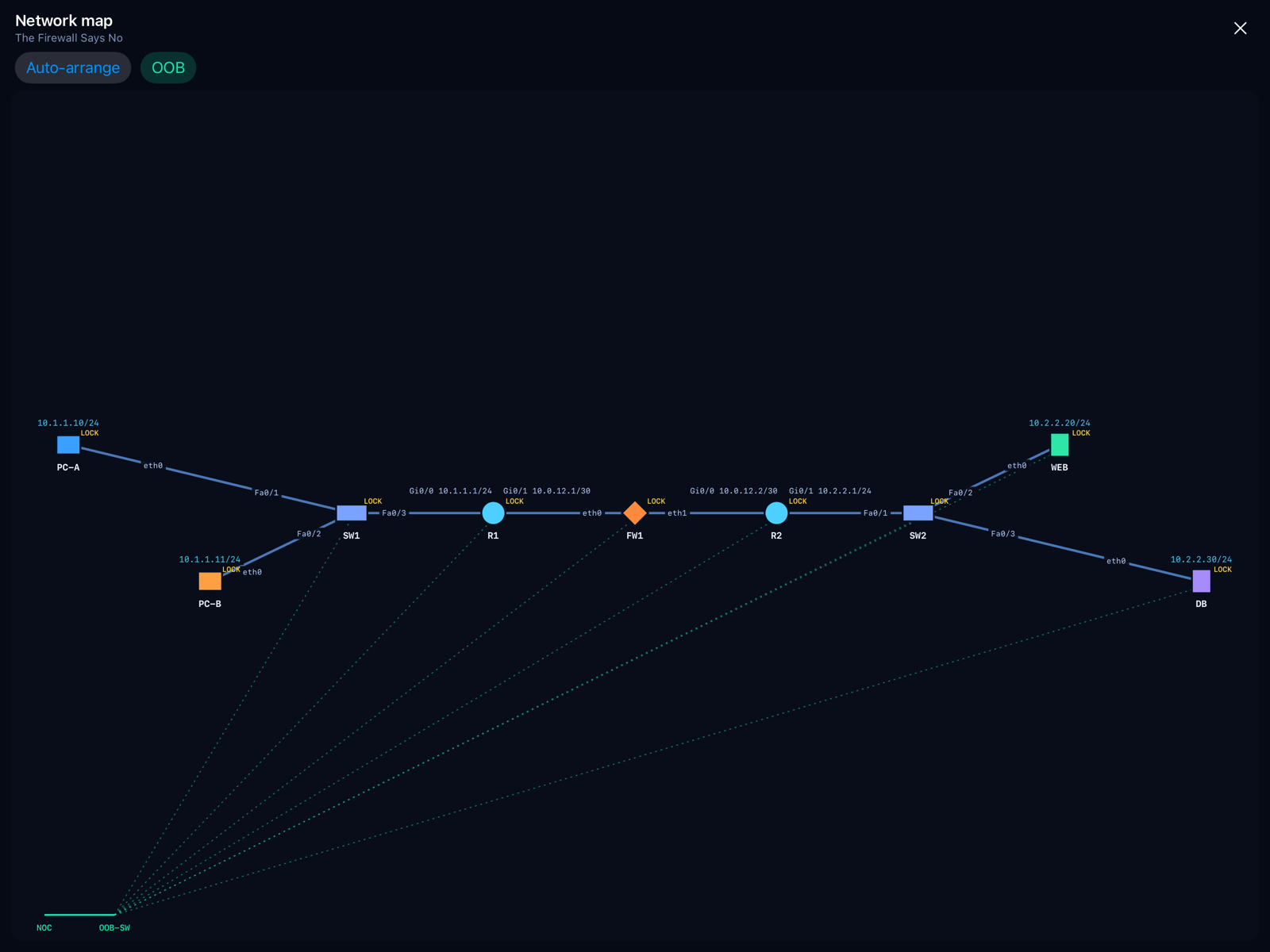
- Look at the network map (Tab). It shows every address, mask, port and link and the path the packet has to take.
- Press Send (G) once on the broken network. The failure message and the ❗ marker show you the first place where the packet died.
- Fix that device: press E next to it for its console, or T for the SSH terminal.
- Send again. Fixing one fault often reveals the next. A ticket is solved when the packet arrives and the answer comes back (or, for a hostile ticket, when it is blocked).
Controls
| Key | Action |
|---|---|
| ← → or A D | Run |
| Space, ↑ or W | Jump; press again in mid-air for a double jump |
| E | Open the console of the nearest device (needs its diamond). At the NOC desk this is the management console |
| T | Management console: SSH over the out-of-band network |
| G or Enter | Send the packets |
| Tab | Network map. Drag devices, hover for details, Auto-arrange resets |
| ↓ + jump on a green pad | Spring pad: super-jump to the high ledges (landing on it from above works too) |
| F | Packet speed ×1 → ×2 → ×4 |
| C | Open the capture analyzer after a send |
| H | Help, three levels (see below) |
| M | Mute |
| Esc | Pause menu |
The title screen also has a How to play button with the same information as a tabbed manual.
Modes and skill levels
Mode
- Jump & run (default): collect diamonds, dodge pits, bugs and lasers, ride moving platforms and fans, use spring pads to reach high ledges. Each level has its own obstacles. Diamonds are worth +25 each, and collecting all of them in a level adds a +100 bonus.
- Puzzle only: no obstacles and nothing locked. Press D to pick a device and Ping walks there. Puzzle runs are not listed in the high scores.
Skill
- Beginner: routes, addresses and masks are picked from lists, and the terminal suggests values with Tab and ?.
- Experienced: you type everything yourself (
10.2.2.0/24and the next hop, masks as/24or255.255.255.0, gateways, DNS servers). The terminal only completes keywords. You earn +25 % of the level score.
Your tools
Device consoles
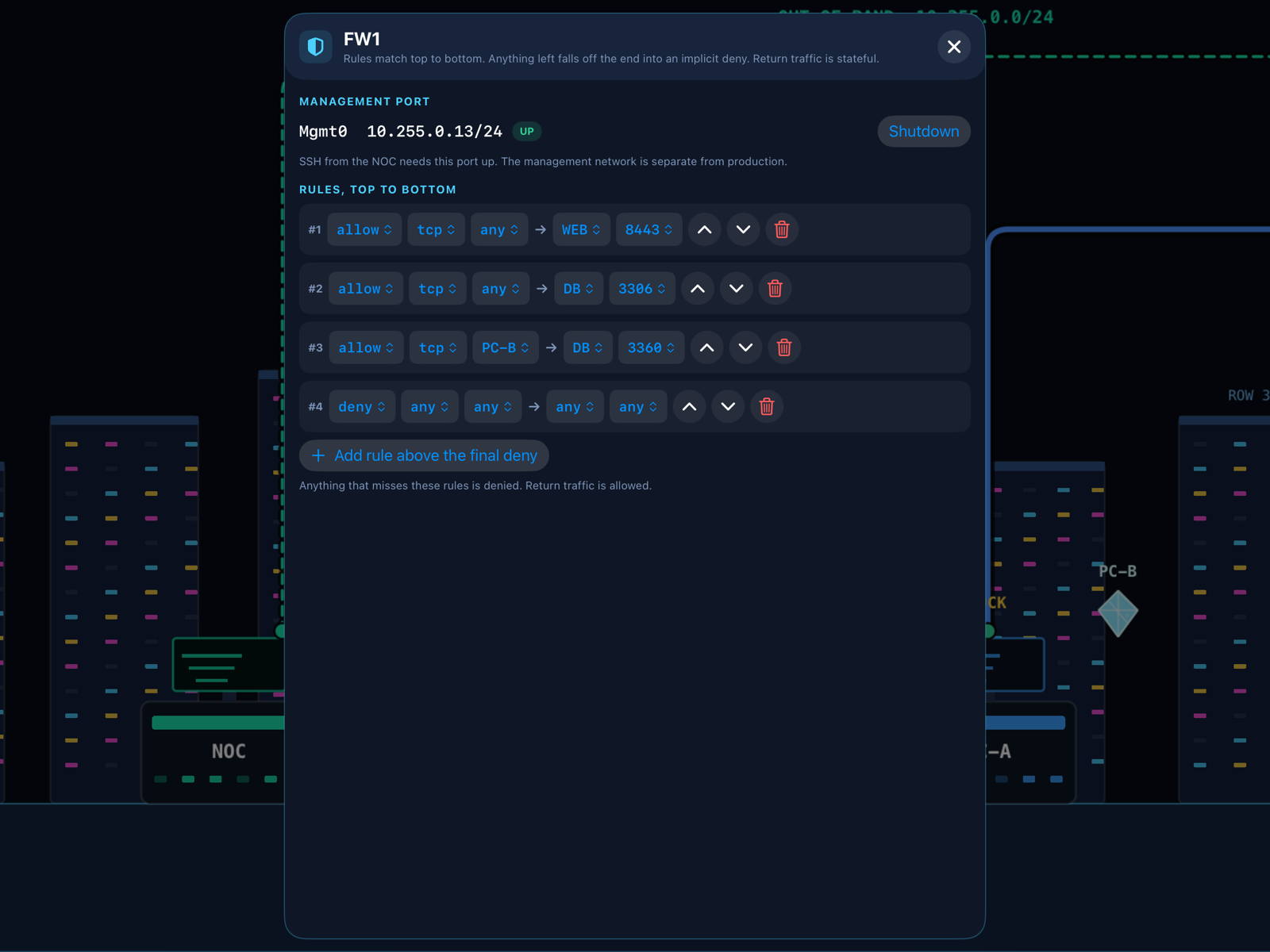
Walk up to a device and press E. Routers have interface addresses, static routes and an MSS clamp. Switches have RSTP, priority, port shutdown, port security, VLANs and trunks. Firewalls have an ordered rule list. Servers have address, gateway, DNS zones and DHCP scopes. Workstations are configured at the desk.
The SSH terminal
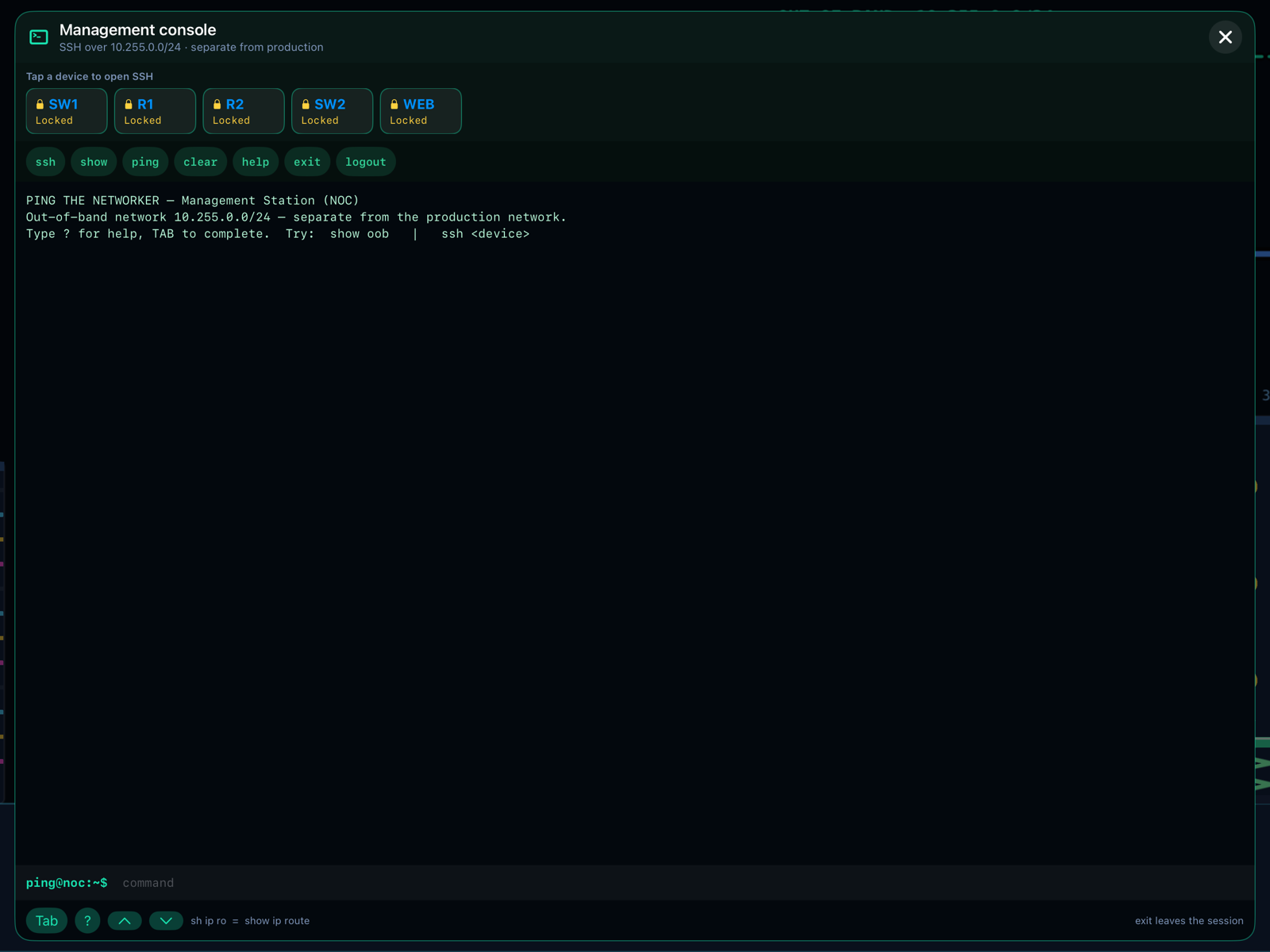
Every switch, router, firewall and server has a Mgmt0 port on a separate out-of-band network (10.255.0.0/24), drawn as dotted teal cabling. Press T, then type ssh R1. The CLI is small and Cisco-like: modes (configure terminal, interface …), unique abbreviations (sh ip ro), Tab completion, ? context help, history, do show …, ping, traceroute, show running-config. The GUI consoles and the terminal share the same state, so use whichever you prefer. If you shut down a device’s Mgmt0 port, you can no longer SSH to it.
ssh and a device name to log in over the out-of-band network.The network map
Press Tab. Every device has its own box, every IP address, port and network ID sits on a label plate, and hovering a device shows everything about it. You can drag devices to arrange them and toggle the out-of-band layer. A red ✕ marks a cut fibre. Click a device on the map to open its console without running to it.
The capture analyzer
After every send, press C to open a Wireshark-style analyzer. Pick a capture point (any device on the path), filter with display filters and read the packet list, the decoded protocol tree, a real hex dump with valid checksums and the Expert info tab. Useful filters: ip.addr == …, tcp, dns, icmp, arp, tcp.port == 443, tcp.analysis.retransmission, !arp. The frames include ARP, DNS over UDP and TCP, TCP handshakes, TLS Client Hello, ICMP errors with quoted packets, and retransmissions.
Getting help
Press H for three levels: a nudge, a diagnosis, the exact fix. The game asks “Are you sure?” first, because a session that used help is not listed in the high-score table and the level is recorded as “with help”. The failure messages, the map, the capture analyzer and the Beginner skill level are always available and cost nothing.
Strategy and tips
Think like a packet
- Follow the path, both ways. The request has to arrive and the answer has to find its way back. A missing return route is the most common second fault.
- Work from the source outward. The first ❗ is where the packet died. Fix it, send again, and move on to the next one.
- Read the drop reason. “No route”, “TTL exceeded”, “denied by firewall” and “no ARP reply” each point to a different layer.
- Check the basics on the host: IP, mask, gateway and DNS. A /16 where a /24 belongs, or a gateway outside the subnet, cause “routing problems” that are not routing problems.
Routing and switching
- Longest prefix wins. A more specific route silently beats your default route.
- A routing loop burns the TTL. Look for two routers pointing at each other.
- Switch triangles need RSTP. With it off you get a broadcast storm; with it on, one link blocks by design, so do not “fix” the blocking port.
- Port security with a hub behind it will err-disable the port. Find the rogue laptop.
- VLANs: a different VLAN is a different broadcast domain. Check the access VLAN of the port, the allowed VLANs on the trunk and the router leg.
Firewalls, DNS and the rest
- Rules match top to bottom, and anything unmatched is denied. Look for typos in the port first.
- Least privilege. An
allow anyrule makes the ticket pass but lets the hostile packet through too. Hostile tickets must be blocked. Watch for “temporary” lazy rules at the top of the list. - DNS has two failure modes: the PC points at the wrong resolver, or the record on the server is stale or missing.
- Over IPsec, remember the MTU: the DF bit, the TCP MSS clamp and path-MTU black holes when ICMP is filtered.
- For DHCP, check the relay (
ip helper-address), the scope’s gateway, the range against static addresses, and whether a rogue server sits on an untrusted port.
Scoring
- Play Experienced for the +25 % bonus.
- Collect all diamonds for the +100 bonus. The pause-menu “Unlock all devices” skips it.
- Do not use H if you want to be listed.
- Packet speed (F, or hold Space while packets fly) saves time and does not cost points.
Boss level tip: “The Black Box” has no markers, no ICMP messages and no animation. Use the capture analyzer at several points on the path and compare what you see at each one.
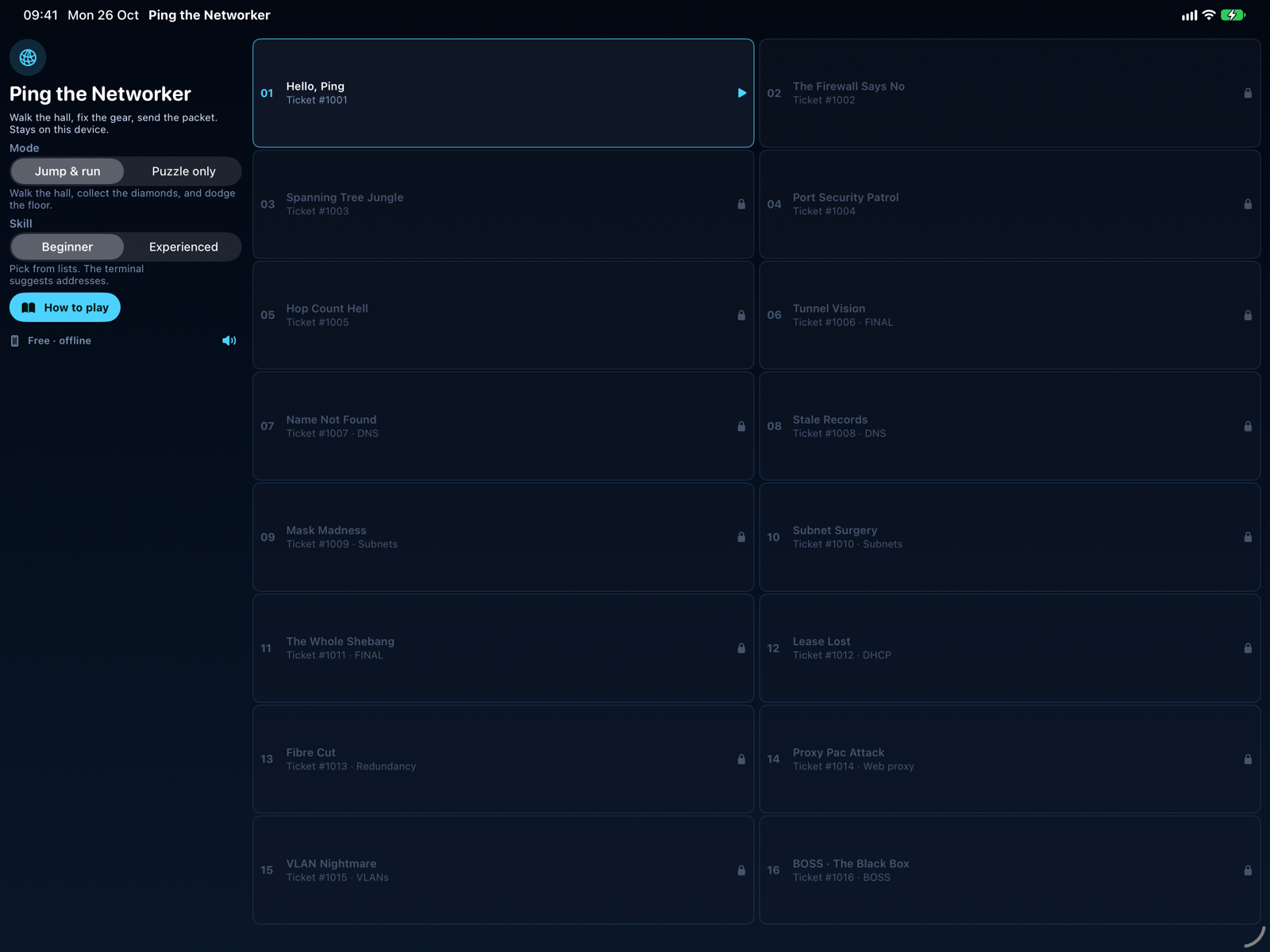
The 16 tickets
| # | Ticket | What breaks |
|---|---|---|
| 1 | Hello, Ping | Missing static routes, and the missing return route |
| 2 | The Firewall Says No | Wrong ports in the rules, least privilege |
| 3 | Spanning Tree Jungle | STP off on a triangle, a shut-down port |
| 4 | Port Security Patrol | A hub behind a secured port, a rogue laptop |
| 5 | Hop Count Hell | Routing loop, TTL budget, longest-prefix match |
| 6 | Tunnel Vision | Routes, firewall, MTU and return path in one IPsec setup |
| 7 | Name Not Found | Wrong or missing DNS server on the PCs |
| 8 | Stale Records | Stale and missing A records on the DNS server |
| 9 | Mask Madness | Too-wide mask, dead gateway, gateway outside the subnet |
| 10 | Subnet Surgery | Duplicate IP, a /30 router interface, a server with a bad gateway |
| 11 | The Whole Shebang | DNS across an IPsec tunnel, masks, firewall, MTU and return path |
| 12 | Lease Lost | DHCP: missing relay, wrong gateway in the scope, range collision, rogue DHCP server |
| 13 | Fibre Cut | Redundancy: forward and return routes must use the backup path |
| 14 | Proxy Pac Attack | Web proxy: PAC URL, wrong proxy port, a URL-filter false positive |
| 15 | VLAN Nightmare | Wrong access VLAN, a trunk that does not allow a VLAN, a guest in the staff VLAN |
| 16 | BOSS · The Black Box | Blind mode with seven stacked faults. Find them with captures |
Pet networks (browser)
Press P on the title screen. There are four networks of rising size: Garage Lab, Branch Office, Campus and Enterprise. Only the segment IDs are known; everything else is chosen from pull-downs. Each run generates a random scenario in one of two flavours:
- Build: a factory-blank network that you design.
- Repair: a running network that broke overnight, with two to four injected faults such as a lost route, a wrong next hop, a shut port, STP off, a wrong firewall port, a duplicate IP or a fibre cut.
You get one to three communications to make work, sometimes with a hostile one that must be blocked. There is an optional time limit (3, 5, 8 or 12 minutes), and a scenario code lets you replay a scenario.
What is simulated
| Area | What the engine models |
|---|---|
| Routing | Connected and static routes, longest-prefix match, default route, TTL, loops, return path |
| Switching | RSTP root election and blocking, port shutdown, port security with err-disable, broadcast storms, hubs, VLANs and trunks |
| Firewall | Ordered rules, implicit deny, stateful return traffic, hostile tickets that must be blocked |
| DNS | Resolvers per host, editable zones, missing, stale or unreachable servers, DNS over TCP |
| Hosts | IP, mask, gateway and DNS; duplicate IPs, too-wide masks and gateways outside the subnet are detected |
| VPN / MTU | IPsec tunnel MTU, DF bit, TCP MSS clamp, fragmentation, PMTUD black holes |
| DHCP | Relays, scopes, exclusions, DHCP snooping and trusted ports |
| Web proxy | PAC files, manual proxy settings, URL-filter categories and exceptions |
FAQ
Do I need an account?
No. High-score initials are optional and are three letters.
Is progress saved?
Yes, in your browser (unlocked tickets, best scores, settings). Clearing the site data resets it. The iPhone and iPad app keeps its progress on the device.
Why is my run not in the high scores?
Runs with help (H), puzzle-only runs and “unlock all devices” runs are not listed.
I found a bug, or I have an idea for a ticket.
Please write to me via the contact page. Screenshots and the ticket number help.