Ping the Networker Browser · iPhone · iPad
Walk the hall, fix the gear, send the packet.
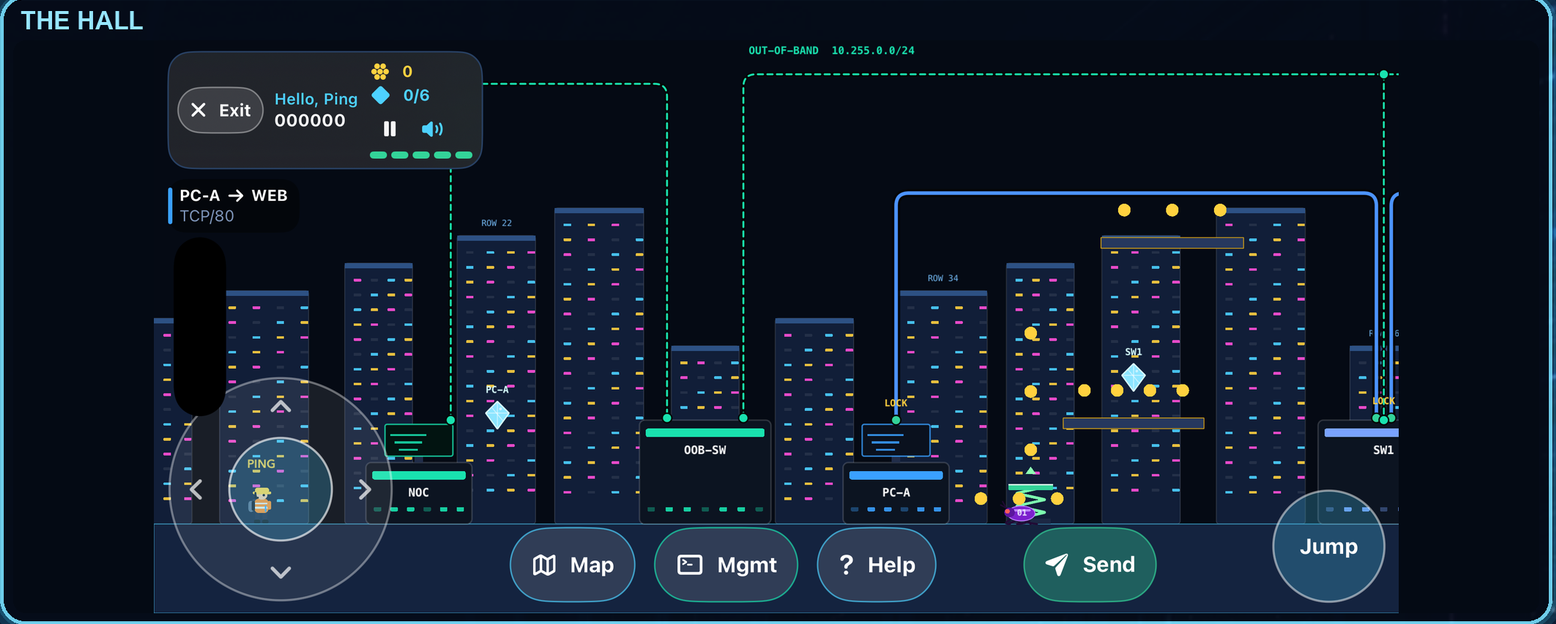
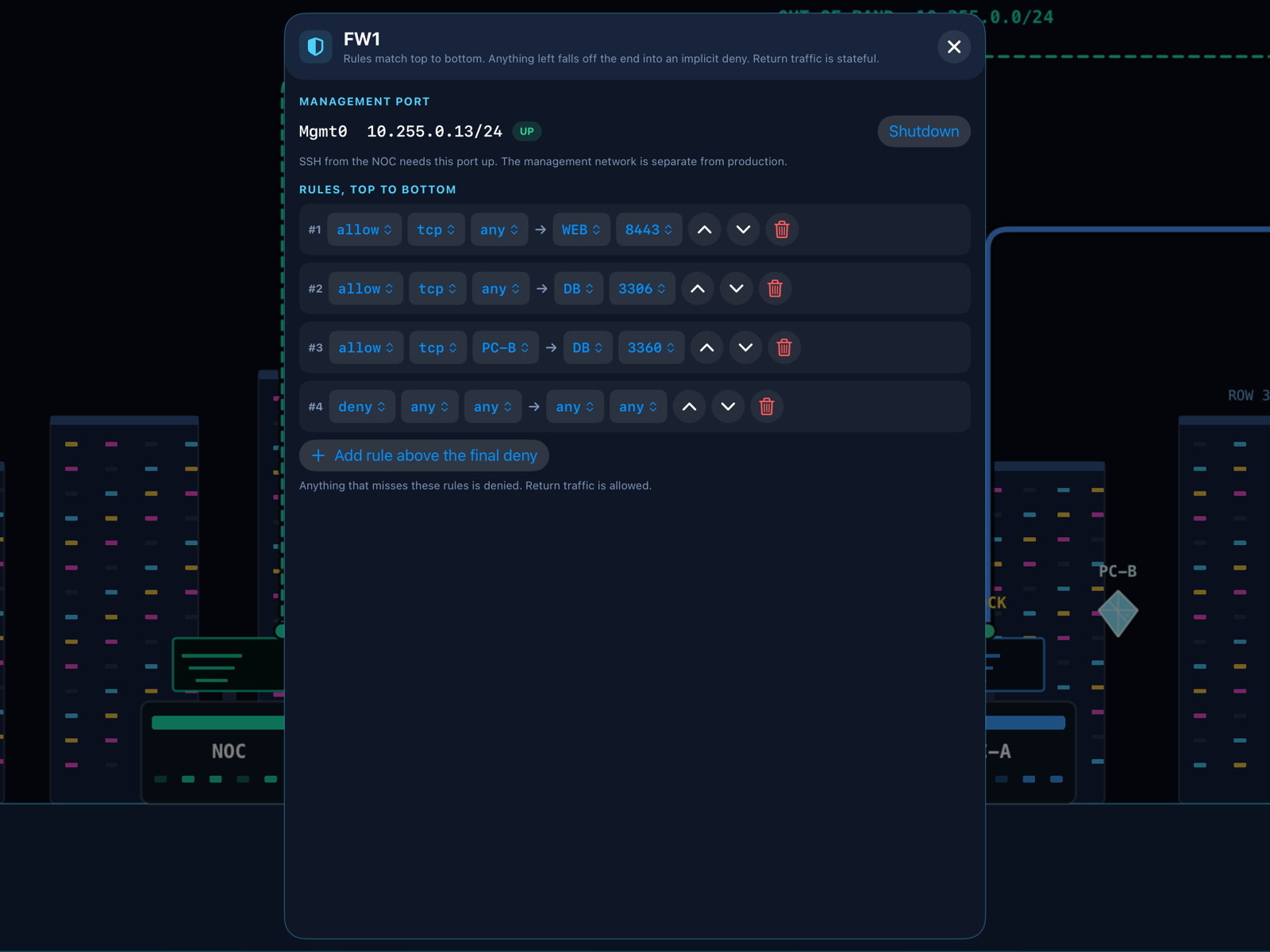
You play Ping, the network engineer of a busy data center. Every level is a trouble ticket: a client cannot reach a server, and the reason is hidden somewhere in the hall. Run, jump and collect the diamond of a router, switch, firewall or server to unlock it, then configure it, press Send and watch the packets hop device by device. If something is still wrong, the packet drops and tells you why, the same way a real network does.
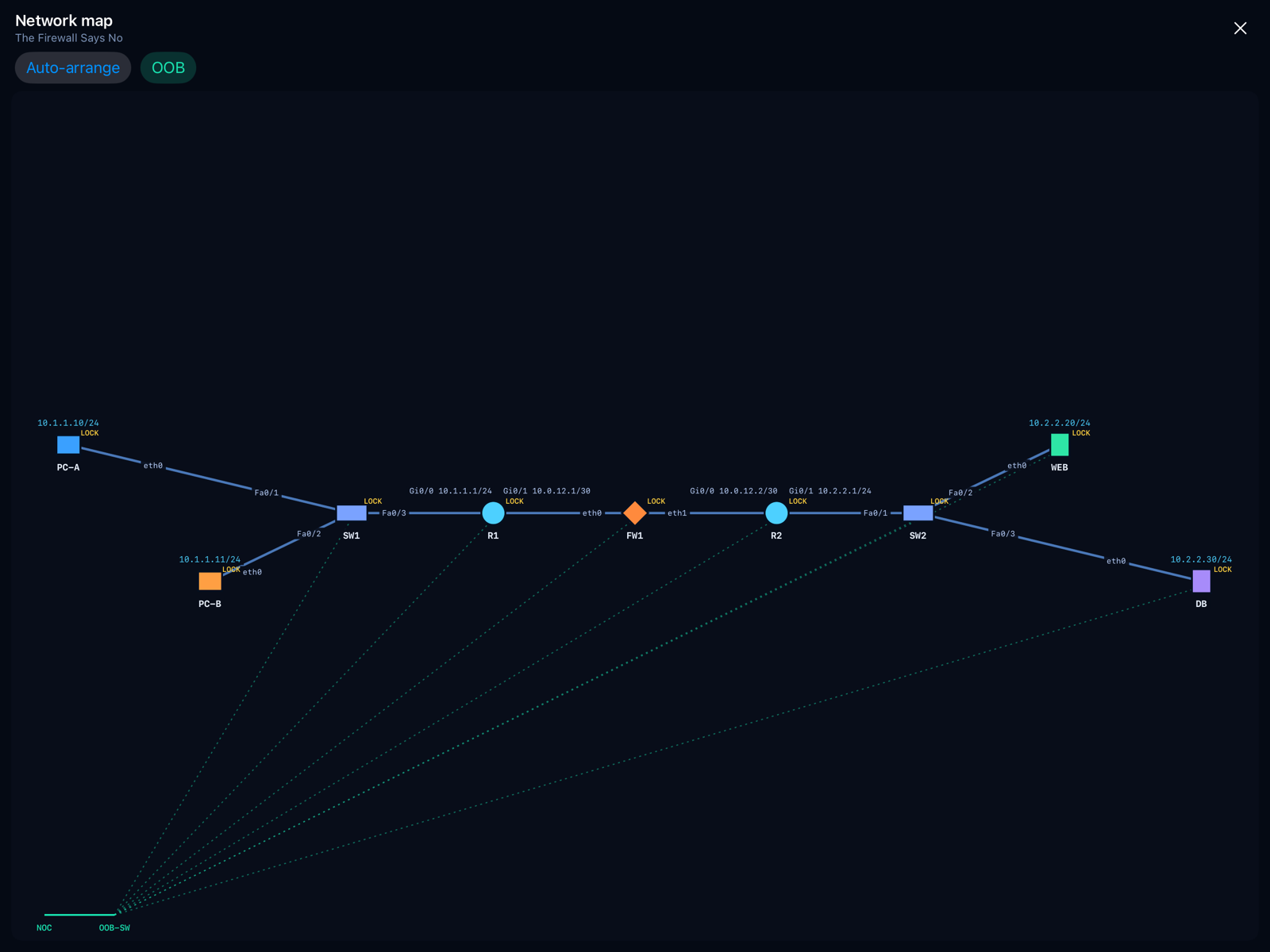
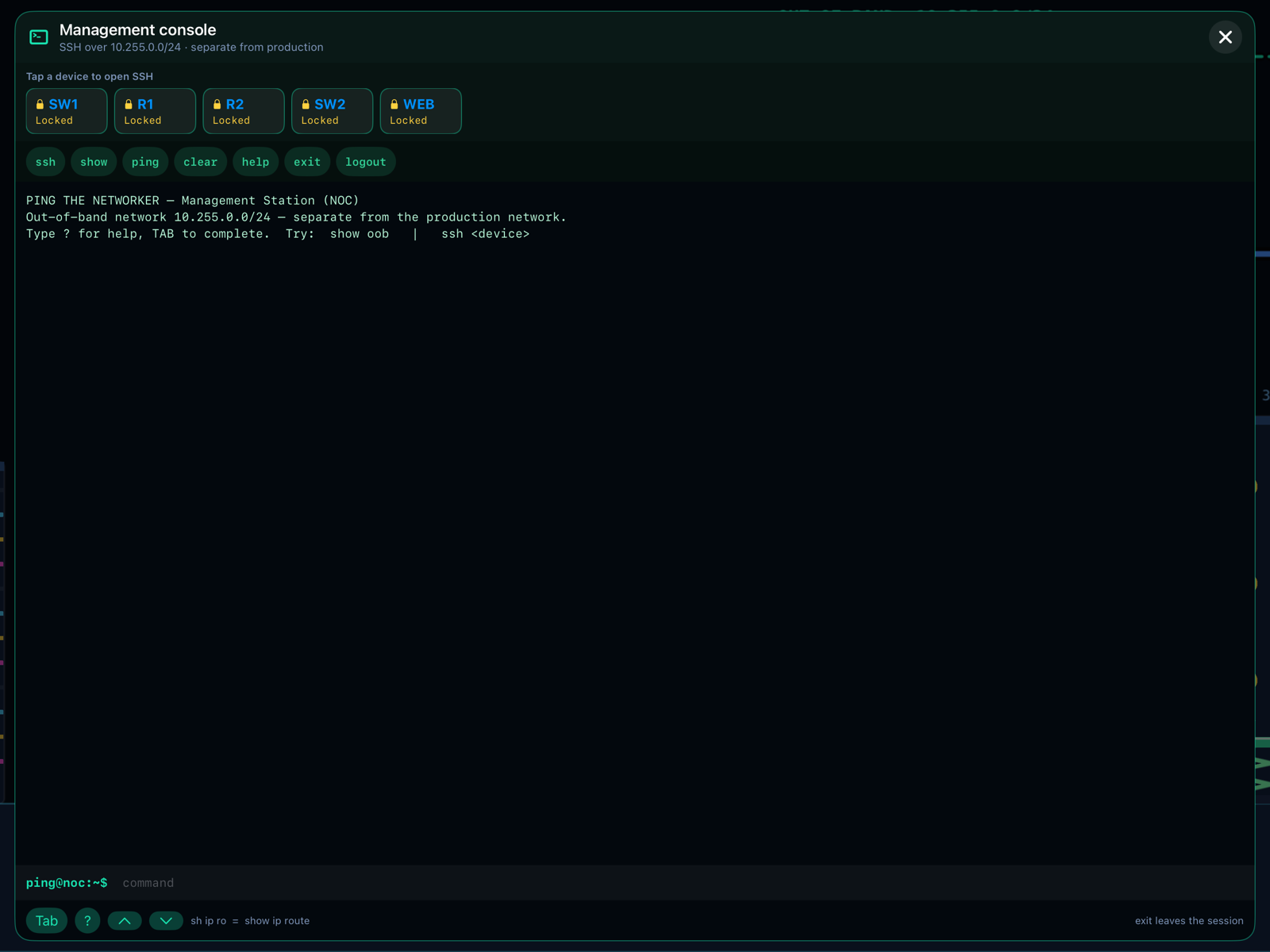
Behind the arcade layer there is a real simulation: longest-prefix routing, TTL and loops, RSTP root election, port security, stateful firewalls with an implicit deny, DNS zones, DHCP relays, VLANs and trunks, IPsec and MTU black holes. The tools are real too: an SSH-style Cisco-like CLI over an out-of-band network, a network map, and a Wireshark-style capture analyzer with display filters and a hex dump.
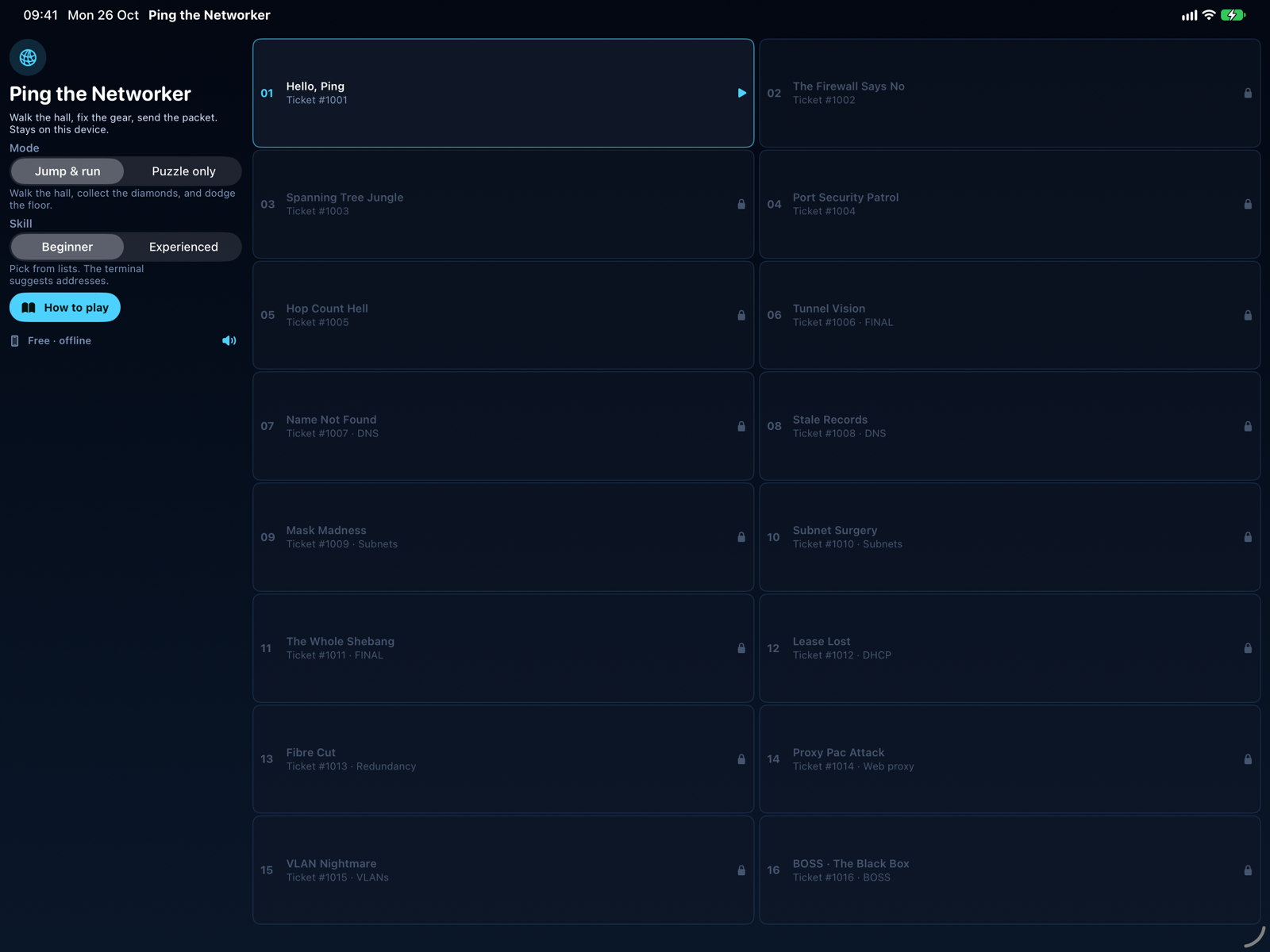
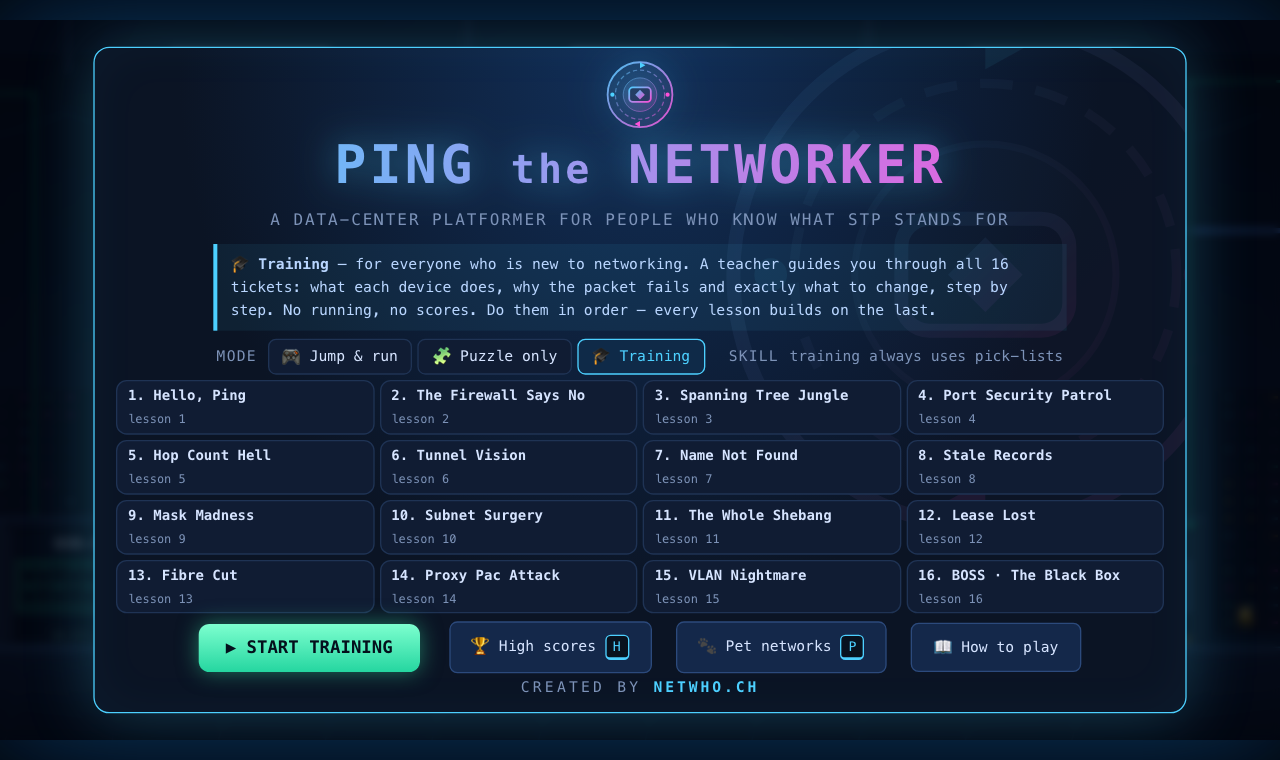
- 16 tickets, from “Hello, Ping” (missing static routes) through firewall rules, spanning tree, DNS, subnets, DHCP, redundancy, web proxy and VLANs to a blind boss level.
- Pack 2, Beyond the Wire (new): 16 more tickets with their own tab: Windows and Kerberos, RADIUS and 802.1X, Wi-Fi signal, channels and security, evil twins, AI chatbots and API gateways, shadow IT and a final blind boss. It opens after ticket 6.
- Three modes: Jump & run, Puzzle only if you just want the networking, or the new 🎓 Training mode if you are new to networking and want a teacher at your side.
- Two skill levels: Beginner picks values from lists, Experienced means you type every route, mask and address (and earns a +25 % score bonus).
- Three help levels if you get stuck: a nudge, a diagnosis, the exact fix.
- Pet networks in the browser version: random build and repair scenarios on networks of rising size, with an optional timer.
- Four languages. English, German, French and Italian, switchable on the title screen. Device configuration windows, the terminal and packet captures stay in English, like real gear. Details in the docs.
- Cisco-style consoles. Routers, switches and firewalls have a front panel with live port lights, and the terminal understands
enable,show mac address-table,show cdp neighbors, pipes and?help. - Arcade toys. Patch-cable ziplines over pits, VPN pipes as shortcuts, and power-up boxes: a firewall bubble, 10G boots or a coin magnet. All optional.
🎓 New: Training mode, a teacher for every ticket Browser
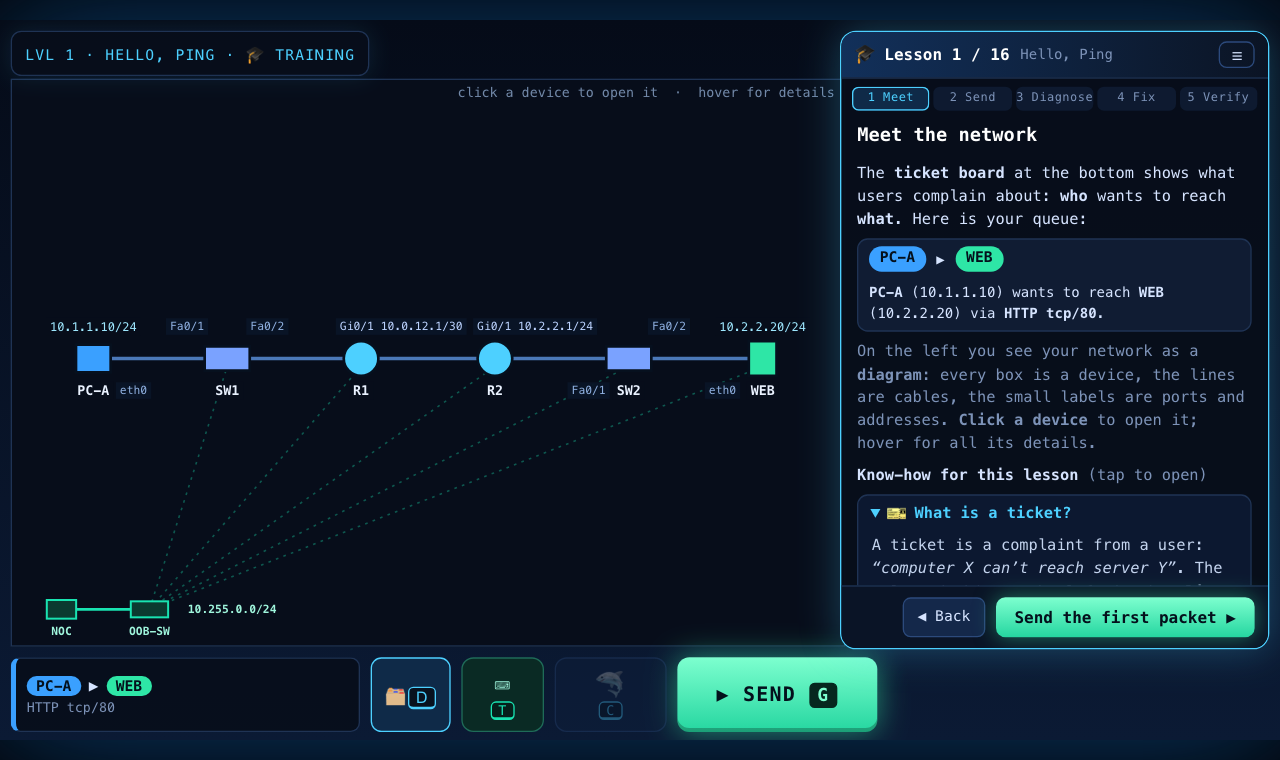
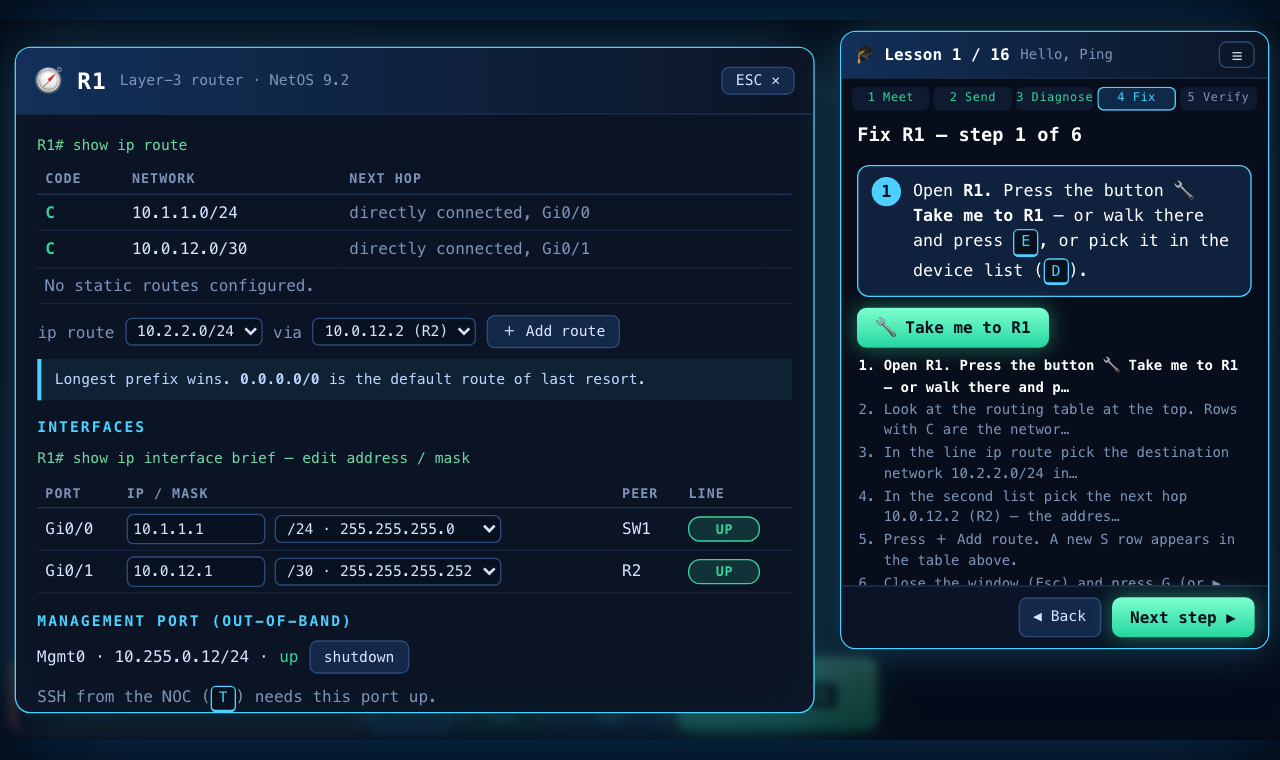
The goal: some people want to learn networking but have never configured a router. Training mode is for them. There is no running and jumping and no score: a teacher walks you through all 16 tickets, one lesson at a time, and explains what each device does, why the packet fails and exactly what to change.
How a lesson works:
- Meet the network. The ticket, the network as a diagram, and short know-how cards (what is a route, a firewall rule, a VLAN…).
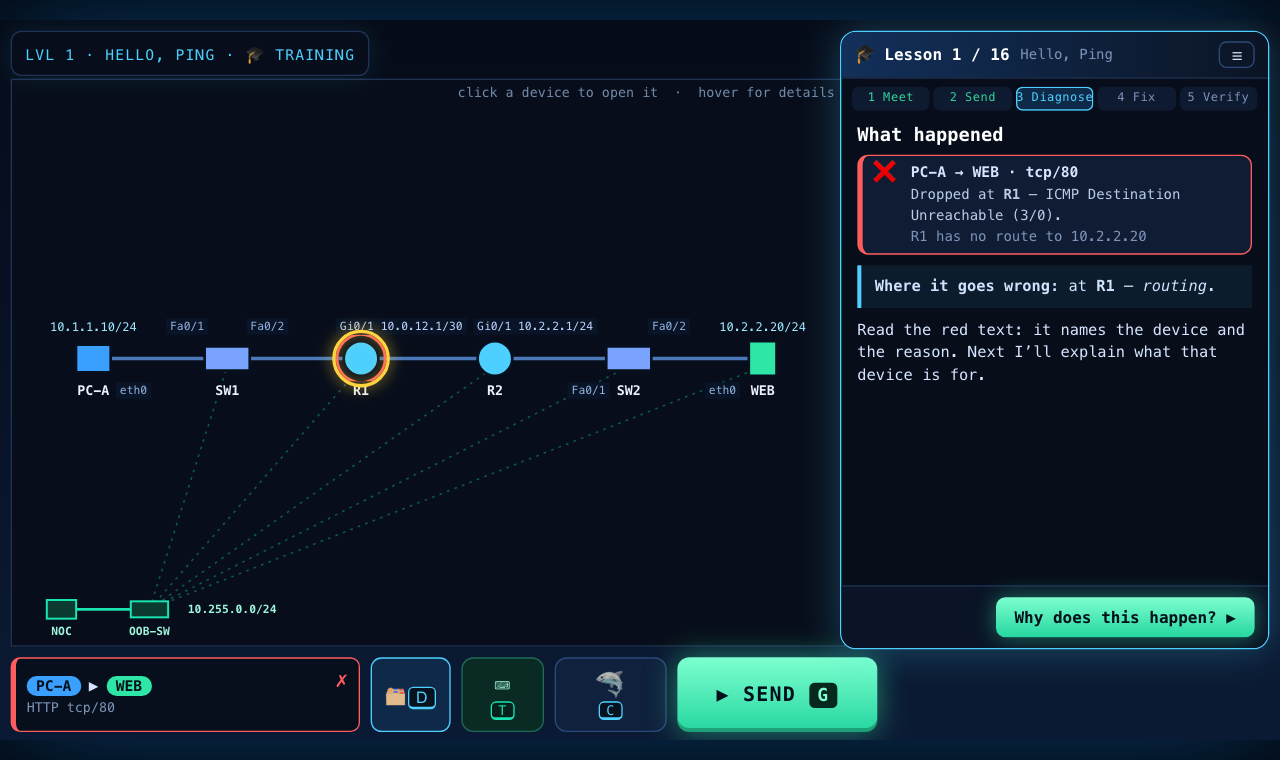
- Send the packet and let it fail. The teacher shows where it dropped and what the red message means.
- Understand the device. What a router, switch, firewall, DNS server or proxy is for, and what has to change on it.
- Fix it step by step. The teacher takes you to the right device, highlights the exact field or button, and offers the matching CLI commands for those who prefer the console.
- Send again. Success shows what you fixed and learned. A wrong fix gets a hint, not a lecture.
How it works under the hood: the teacher uses the same simulator as the game. After every packet it asks the diagnosis engine for the first unresolved problem and builds the instructions from that, so the guidance adapts to what you actually did. Training always uses pick-lists, there are no pet networks, and every lesson is unlocked so you can jump to the topic you need. Each lesson also reminds you that the animation is a learning simulation, simplified on purpose (for example, a real TCP connection starts with a three-way handshake, while the game sends one flow).
Open the game, choose Training under Mode and press Start training.
Cyber the Threat-Hunter Browser
Catch the hacker. Keep the users happy. Keep the company in business.
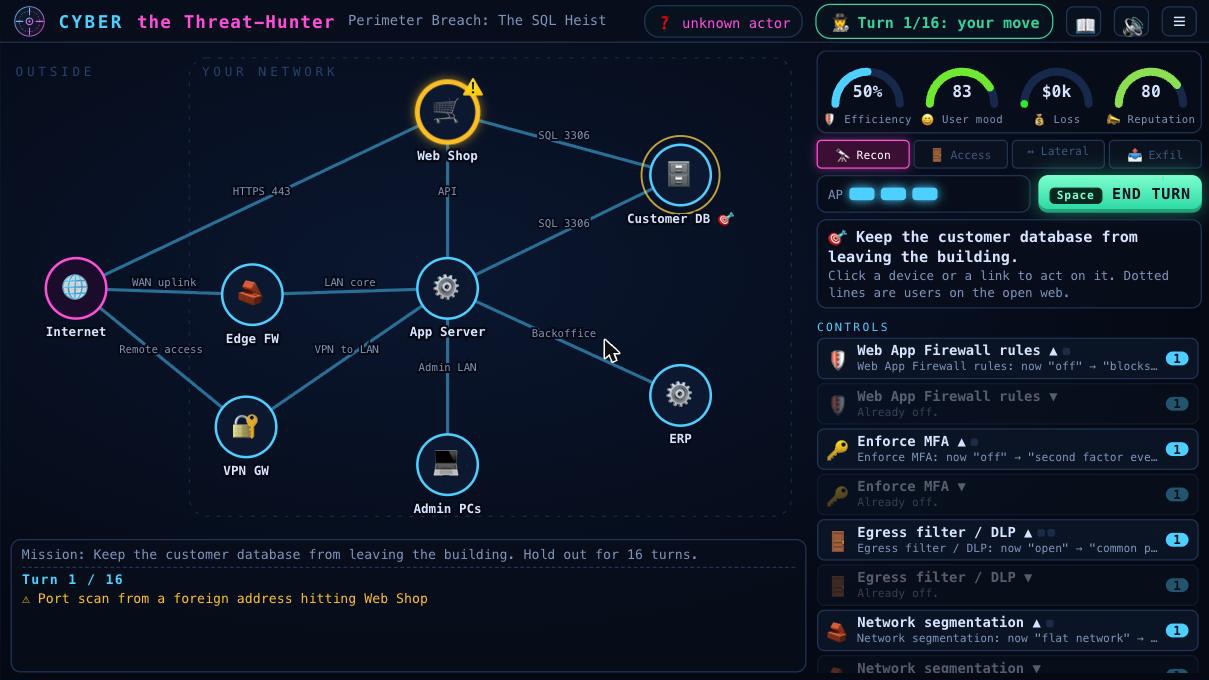
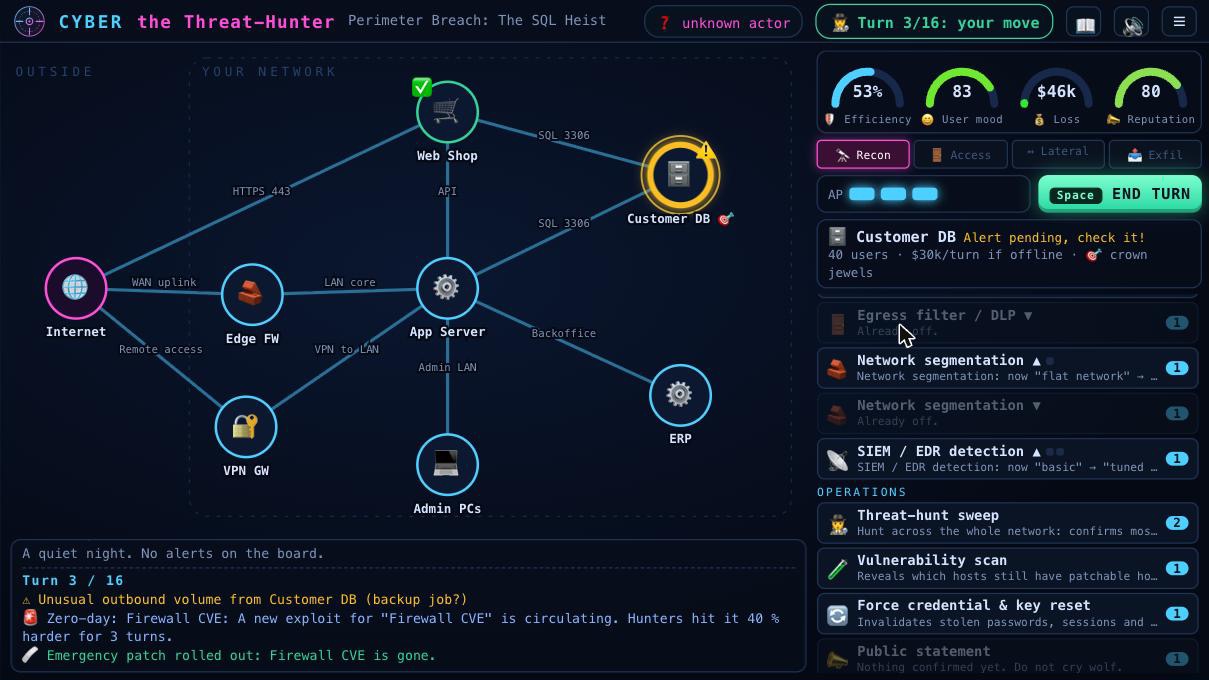
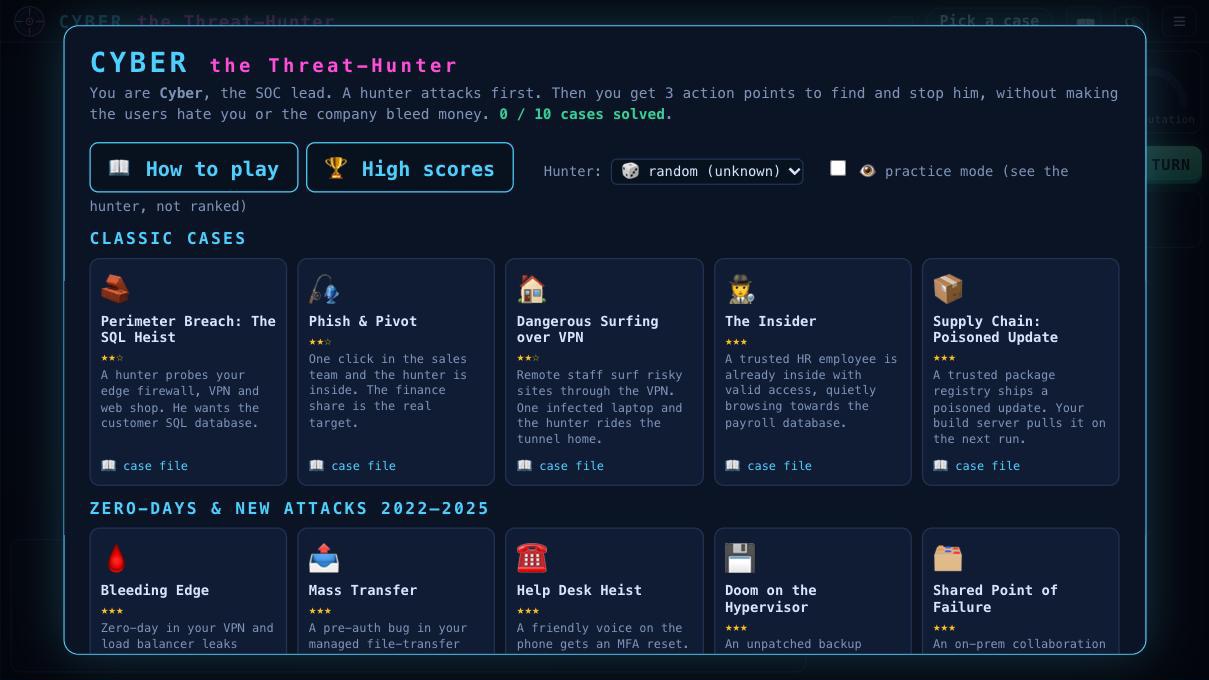
You are Cyber, the SOC lead, and a sibling of Ping. The hunter always moves first: he scans, exploits, moves sideways and finally goes for the crown jewels. You only see what your sensors catch, and some alerts are false alarms. Then you get three action points to investigate, isolate, reimage, patch, cut links or change global controls such as MFA, a web application firewall, egress filtering or segmentation.
Four gauges keep you honest: efficiency, user mood, financial loss and reputation. Lock everything down and your users mutiny. Do nothing and you are breached. Survive 16 turns, or leave the hunter with nothing to attack, to win.
- 10 cases: five classics (perimeter breach, phishing, VPN, insider, supply chain) and five zero-days and new attacks inspired by public reporting from 2022 to 2025, each with a spoiler-protected case file.
- Four hunter types that behave differently: script kiddie, APT, ransomware crew, hacktivist. You do not know which one you face until you confirm a compromise.
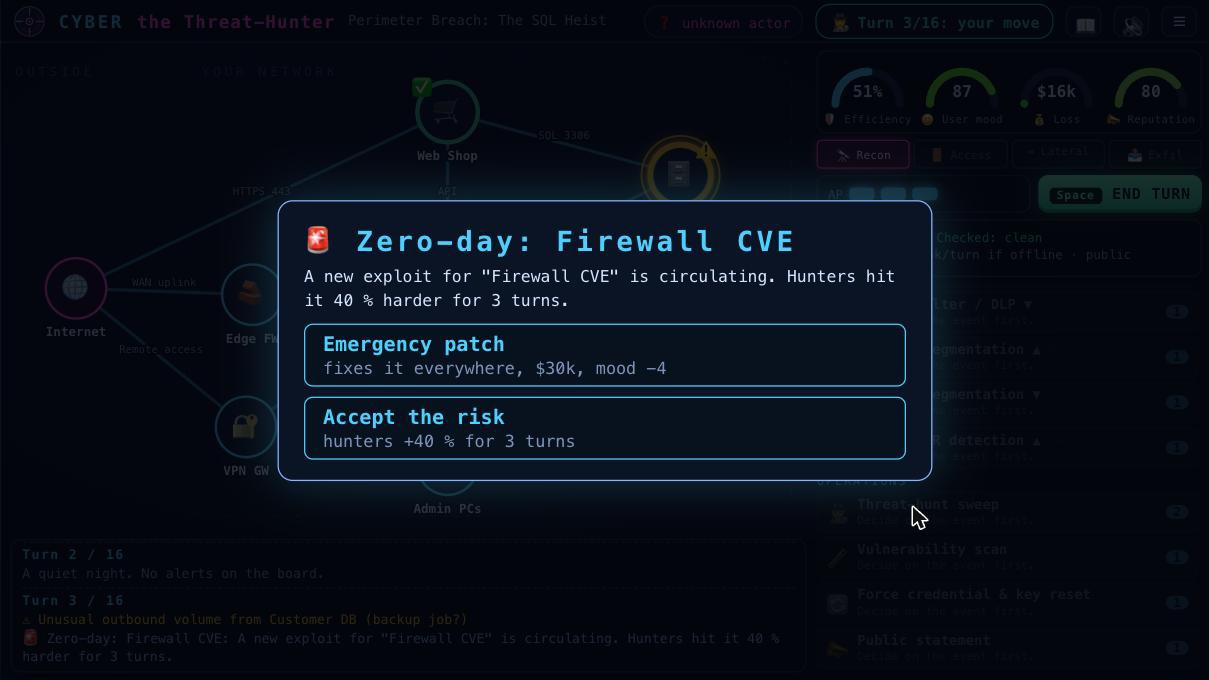
- Random events, such as a CEO favour, a journalist, an audit or a new zero-day.
- Practice mode shows the hunter so you can learn the mechanics; it is not ranked.
Fully QA’diOS app: not yet
Feedback and bug reports are very much appreciated. The game has been through a full QA pass, but every player finds something new. If you spot a bug, an unfair case or have an idea for a scenario, please get in touch.
Why games?
Networking and security are learned by breaking things and fixing them. A game lets you do that without a lab, without a change window and without anyone getting paged. Ping teaches how packets are actually forwarded, filtered and dropped. Cyber teaches that defense is a series of trade-offs. If you play one of them and learn something, or get annoyed by something, I would like to hear about it.